


How Instagram Privacy Works: A Guide to User Settings, Visibility, and Online Interactions
-
Last Updated:

24 Jun 2026
-
Read Time:

7 Min Read
-
Written By:
 Elia Martell
-
1612
Table of Contents
Understand how Instagram privacy works, including account visibility, story settings, user interactions, digital footprints, and privacy best practices.
For a lot of people, Instagram is just where the day happens. A photo from lunch, a story from the commute, an opinion, a location tag, the name of the place you work. It adds up fast, and most of it gets posted without much thought about who's actually on the other end looking. That's the gap this article is about. Knowing how Instagram privacy works gives you a clearer picture of your own digital presence and who can reach it.
The sections below cover the main pieces of Instagram account privacy: public versus private profiles, how visibility settings change the way other people interact with you, and what stays visible even after you think you've tucked it away. No jargon, just the mechanics, so you can decide what to share and what to hold back.
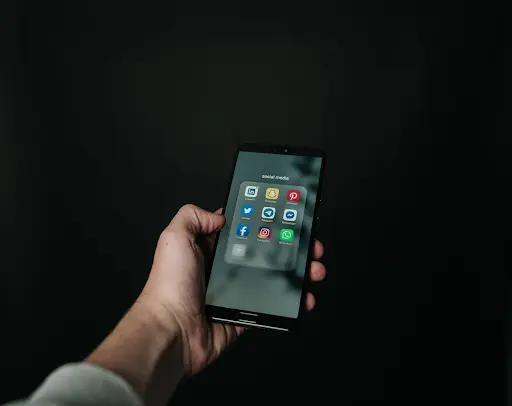
Understanding Instagram Privacy: Public vs Private Accounts
Everything else flows from one choice: public or private. It sounds trivial. It isn't. The consequences run deeper than most people expect.
Leave the account public and it's wide open. Anyone with an Instagram account, and often anyone on the open web, can see your posts, your reels, your bio, without following you or asking first. Follower and following counts show. Username and profile photo show. Search engines can even index parts of an Instagram public profile, so your content can surface well outside the app itself.
Go private and the default flips. Now your posts and reels only reach the followers you've approved. Someone who lands on your profile still sees the username, the photo, the bio, and the follower counts, but the actual content stays locked until you accept their request. People have to knock, and you decide who comes in.
A couple of things stay public no matter which way you set it. Your username and profile picture are how the platform points to you, so they keep showing up in search and in comment threads. And switching to an Instagram private account doesn't reach back and hide what others already saved or reshared. The setting governs what happens next. It can't undo the past.
How Instagram Visibility Settings Affect User Interactions
Privacy here isn't a single toggle. Instagram visibility settings are really a cluster of smaller controls, and together they decide who can reach you and what they're allowed to do once they've found your account.
Take comments. You can screen them by keyword, auto-hide the offensive ones, or restrict who's allowed to comment in the first place. Direct messages run on their own rules, so you choose whether a message from someone you don't follow drops into your main inbox or waits in a separate requests folder.
Mentions and tags follow the same logic. Decide who can tag you or mention you, and switch on manual review so nothing lands on your profile before you've seen it. Even your activity gives things away, your online status and your read receipts, and both can be switched off.
All of this shapes how online interactions actually go. Lock it down and the noise drops. Leave it loose and you're easier to reach. The point is to match your Instagram user settings to the way you really use the app, which is most of what keeping your social media privacy in check comes down to.
Instagram Stories and Privacy Controls
Stories don't behave like regular posts, and their privacy controls show it. By default a story lives for 24 hours, then vanishes from your profile. That disappearing act makes them feel throwaway. The reality is a little messier, which is exactly why the rules around them are worth knowing.
Post a story and you get the viewer list, a straight readout of everyone who watched. You can also hide a story from particular people without going as far as unfollowing or blocking them, handy when you want most of your followers in on it but not all. Close Friends works the other way round. Instead of shutting a few people out, you pick a small group and only they get to see it.
Understanding how people reach publicly available content is part of learning how visibility works on any social platform. Some users look into options like an anonymous story viewer to see how public Instagram stories can be viewed without interacting directly. Tools like that deal mostly with content that's already public, which is the reminder worth holding onto: anything posted from a public profile comes with far fewer privacy guarantees than something shared only with approved followers.
Archiving is the last layer of Instagram story privacy. Expired stories get tucked into a private archive only you can see, and you can later promote them to highlights that stick around on your profile. So the controls are genuine, but they have edges. They decide who sees what inside the app. What happens after a story leaves someone's screen is out of their hands.
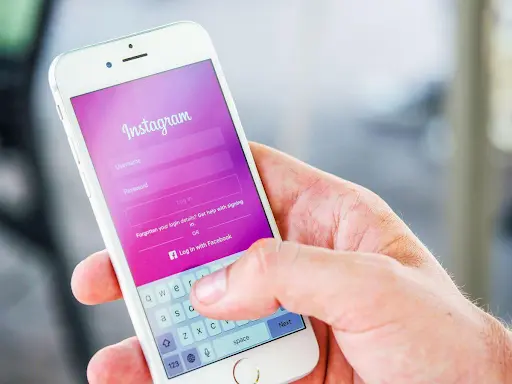
What Users Should Know About Digital Footprints on Instagram
Everything you do on Instagram leaves a mark, and the sum of those marks is your digital footprint. The obvious stuff counts, posts and comments, but so does the quieter trail: the likes, the accounts you follow, the places you tag, the stray bits of personal information sitting in captions and bios.
Why it matters for online privacy is simple. Public information has a way of sticking around. Put something on a public profile and people can screenshot it, save it, pass it on somewhere you'll never see. Deleting the original won't claw those copies back. A screenshot grabbed in the first hour can easily outlast the post by years.
Your own sharing behavior feeds the same trail. Reposting other people's content, tagging friends to a location, wiring Instagram up to other apps, all of it stretches your footprint wider. None of that is an argument for quitting the platform. It's an argument for posting with your eyes open: treat anything public as effectively permanent, and give a second thought to which personal details you're fine leaving out there.
Common Misunderstandings About Instagram Privacy
A handful of beliefs about Instagram privacy keep resurfacing, and most are only half right.
Belief number one: a private account makes you anonymous. Not really. Private decides who sees your posts, but your username, profile photo, and bio stay out in the open for anyone searching your name. And the followers you did approve can still screenshot and pass along whatever you post. Private means restricted. It doesn't mean invisible.
Then there's the idea that deleting something wipes every trace. Pull a post and yes, it's gone from your profile, but that does nothing about the screenshots people already took, the copies they saved, or the reshares already making the rounds. Gone from your account, maybe. Gone from the internet, no.
The last one is that your followers see it all. They don't, not automatically. Close Friends, hidden stories, audience limits on individual posts, these all mean you can share with part of your follower list and leave out the rest.
Sorting out these three is mostly about seeing where the platform's controls stop. The tools are real and useful. They just have boundaries, and those boundaries come from how the network moves information around.
Best Practices for Improving Instagram Privacy
Better privacy on Instagram is less about one magic setting and more about a few habits. These are the ones that carry most of the weight.
Check your Instagram privacy settings on some kind of schedule. The app changes constantly, and a choice you made a year ago might not do what you think it does today. A five-minute look every couple of months keeps your Instagram account privacy lined up with what you actually want.
Switch on two-factor authentication. It adds a second step at login, usually a code sent to your phone or an authenticator app, and pound for pound it's about the strongest move you can make for social media security. Someone could have your password and still get nowhere without that second code.
Keep an eye on your followers. If you're private, review follow requests rather than tapping accept on autopilot. If you're public, scroll back through the list now and then and clear out anything that looks off.
Go in carefully on third-party apps. Anything asking to link to your Instagram account tends to want sweeping permissions. Look at what each one can actually touch, and cut loose the ones you've stopped using. That habit alone, auditing connected apps and what they're allowed to see, does a lot to protect personal information online and hold your social media safety together.
Conclusion
Instagram privacy isn't one switch you flip and forget. It's a mix of settings and habits working together: how you set public or private, the smaller visibility controls underneath, the way you handle stories, and the plain awareness that public content tends to stick around. Any one of them on its own does only part of the job.
The real lesson is that this is ongoing, not a one-and-done setup. Get a feel for how the platform handles digital privacy and you're in a far better spot to judge what to share and what to keep back. Manage your online presence on purpose and you hang on to more control over it. More than any single setting, it's that steady attention that keeps you covered.

Marketing Manager
Recent Blogs

Elia Martell
5 Virtual Recruiting Support Operations for Tech and Healthcare Teams
-
09 Oct 2026
-
8 Min
-

627


Jane Hart
Why LinkedIn Campaign Optimization Requires More Than CPC and CTR
-
09 Oct 2026
-
8 Min
-
189

Jane Hart
How to Vet an Offshore SEO Partner: A Due-Diligence Checklist for Agencies and Brands
-
08 Oct 2026
-
8 Min
-
323

Jane Hart
Benchmarking GPU Providers: A Practical Guide to Comparing Cloud Compute Options
-
07 Oct 2026
-
6 Min
-
187
