How to Choose an AI Workflow Automation Platform for Enterprise Operations
-
Last Updated:

25 May 2026
-
Read Time:

6 Min Read
-
Written By:
 Isha Choksi
-
1116
Table of Contents
Teams cannot improve workflows they cannot see. Enterprise automation platforms should provide clear audit logs, approval tracking, and workflow visibility so managers can identify delays, bottlenecks, and failed automations quickly.
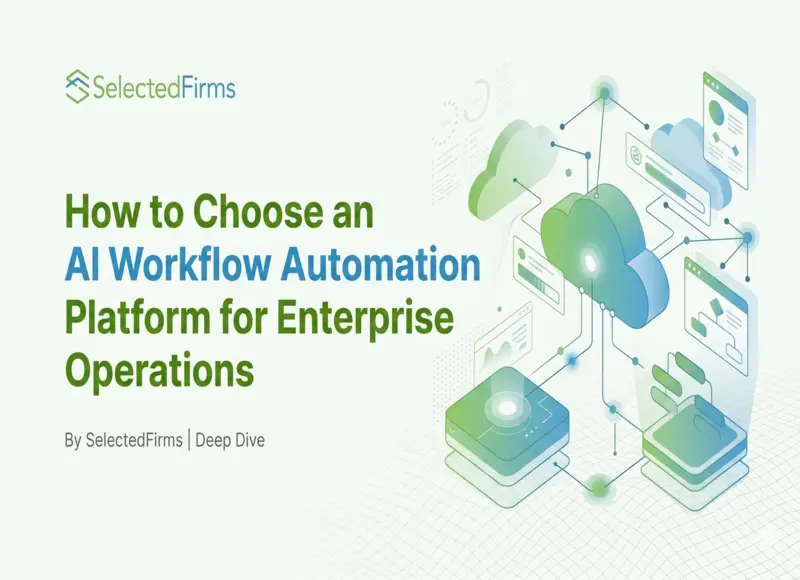
Choosing an AI workflow automation platform is really a question of control. The platform should help enterprise teams move work across systems, add AI where interpretation is useful, and keep humans responsible when decisions carry risk.
That sounds simple.
Then procurement asks for security requirements. IT asks about integrations. Operations asks who owns exceptions. Finance asks what happens if the workflow fails on the last day of the month.
Suddenly, the “automation tool” is enterprise infrastructure.
Start with the workflow problem, not the AI feature
The first mistake is choosing a platform because it has impressive AI demos.
A demo can summarize an email. Nice. But enterprise operations need more than a clever response. They need approvals, audit logs, permissions, retries, data access rules, and clear ownership.
A platform should answer boring questions well:
Who started the workflow?
Which system was updated?
What data was used?
Who approved the exception?
What happens if the AI output is wrong?
Boring questions save real money.
Gartner expects 40% of enterprise applications to include task-specific AI agents by the end of 2026, up from less than 5% in 2025. That means AI will increasingly sit inside operational software, not beside it as a separate assistant.
Check integration depth before AI depth
Enterprise operations usually break between systems.
Sales works in the CRM. Finance works in billing. Support works in tickets. Legal works in documents. Operations gets blamed when the handoff fails.
Classic.
IBM describes enterprise integration as connecting different systems and applications so organizations can expose or connect business capabilities across diverse IT environments. That is the foundation. Without integration, AI has weak context and workflows become fancy reminders.
A good platform should connect to the systems where work actually lives. It should also handle data movement in both directions. Reading from a system is useful. Writing back safely is where operations improve.
One warning: do not confuse “we have an integration” with “the process is integrated.” A connector does not fix unclear ownership.
Use case: choosing for enterprise request intake
Imagine an enterprise operations team that handles internal requests from sales, finance, support, and customer success.
The manual process is familiar. Someone sends a request in a form or chat. The ops team checks missing fields. Then it looks up account context, decides who owns the request, asks for approval, and updates the right system.
Friday afternoon. Three requests say “urgent.” One has no customer ID. One belongs to finance but mentions a support escalation. Very normal chaos.
A workflow automation system should help this team do three things. First, collect and validate the request. Second, use AI to summarize messy context when needed. Third, route the work through a controlled process with owners, approvals, and logs.
The AI part prepares the handoff.
The workflow part controls the handoff.
One catch: if the team has not defined routing rules, the platform will only move confusion faster. Start with the rule, then automate it.
Evaluate AI agents as workers with permissions
If the platform includes AI agents, treat them like digital workers with limited access.
What can the agent read? What can it change? Can it send messages externally? Can it approve anything? Can it access sensitive customer data?
The answers matter because agents can act across tools. That is useful when they prepare account briefs, classify requests, or flag exceptions. It becomes risky when they have broad permissions and weak review paths.
NIST’s Generative AI Profile for the AI Risk Management Framework is designed to help organizations identify unique generative AI risks and choose actions aligned with their goals. For enterprise automation, that means security and governance should be part of platform selection, not a cleanup task after launch.
Small permissions. Big protection.
Look for human checkpoints, not full autopilot
Enterprise automation should not remove judgment from sensitive work.
A workflow can collect contract details. A human should approve non-standard terms.
An AI agent can summarize a billing dispute. A human should approve account changes.
A workflow can flag a high-value customer risk. A human should decide the relationship move.
The best platform lets you place review points where they matter. It should support low-risk automation for repeatable tasks and human approval for decisions involving money, compliance, customer trust, or access rights.
Useful automation has brakes.
Do not ignore workflow ownership
A workflow platform cannot fix unclear ownership.
That sounds obvious.
Still happens constantly.
One request touches sales. Another touches finance. Support adds urgency. Nobody agrees on who approves what. The workflow moves, but accountability does not.
Very enterprise.
A strong automation platform should make ownership visible at every stage. Who reviews exceptions? Who approves escalations? Who handles failed automations? Who gets notified when deadlines slip?
If those answers live in Slack messages or someone’s memory, the workflow is fragile before AI even enters the picture.
This matters more as automation expands across departments. A process that works for one team often breaks when multiple business units start sharing workflows, rules, and data sources.
The platform should support clear routing logic, escalation paths, and operational visibility without forcing teams to manually track status updates.
Because eventually something fails.
An approval gets delayed.
A request enters the wrong queue.
An AI agent classifies a ticket incorrectly.
Someone goes on leave during quarter close.
The real test is not whether the workflow works perfectly.
It is whether the organization knows exactly who owns the problem when it does not.
Watch for unclear business value
AI workflow automation can become expensive theater if the workflow is not measurable.
Before choosing a platform, define the target outcome. Are you reducing handoff time? Cutting rework? Improving approval visibility? Preventing missed follow-ups? Reducing manual data entry? Shortening onboarding?
If the answer is “we want AI,” stop.
Gartner has also predicted that more than 40% of agentic AI projects will be canceled by the end of 2027 because of rising costs, unclear business value, or inadequate risk controls. That is a useful warning for platform buyers: autonomy without operational discipline becomes a budget problem.
Common beginner mistakes
The first mistake is buying for one department. Enterprise operations cross teams. A platform that only solves marketing or support may create another silo.
The second mistake is skipping exception handling. Happy-path workflows look great in demos. Real operations have missing fields, conflicting rules, late approvals, and people on vacation.
The third mistake is ignoring visibility. If managers cannot see where work is stuck, the workflow becomes another black box.
The fourth mistake is giving AI too much responsibility too early. Let AI classify, summarize, draft, and prepare. Add autonomous actions only after logs, permissions, and review rules are tested.
A practical selection checklist
Choose a platform that can handle:
- integrations with core business systems;
- workflow logic across teams;
- AI steps for messy input and context preparation;
- permissions for people and agents;
- human approval checkpoints;
- logs and audit visibility;
- error handling and retry logic;
- clear ownership for exceptions.
Do not start with the biggest workflow.
Start with one painful cross-functional process. Map it. Define the data. Mark the human decisions. Decide where AI can prepare work and where the platform must enforce control.
That is the platform test.
A good AI workflow automation platform does not make enterprise operations feel magical.
It makes them less dependent on memory, side spreadsheets, and heroic Friday afternoon cleanup.
Pretty good trade.

Head of SEO Operations
Recent Blogs


Jane Hart
How Smartphone Accessory Brands Combine Product Design and eCommerce Innovation
-
05 Nov 2026
-
8 Min
-

31
Jane Hart
7 Costly Mistakes to Avoid When Outsourcing IoT Hardware Development
-
29 Oct 2026
-
6 Min
-
180

Elia Martell
E-commerce Email Templates: What Your Shopify Store Needs
-
30 Oct 2026
-
6 Min
-
102