Table of Contents
Poor Salesforce development can expose sensitive data through insecure code, weak integrations, and permission misconfigurations. Learn how hiring security-aware Salesforce developers helps prevent costly data breaches.
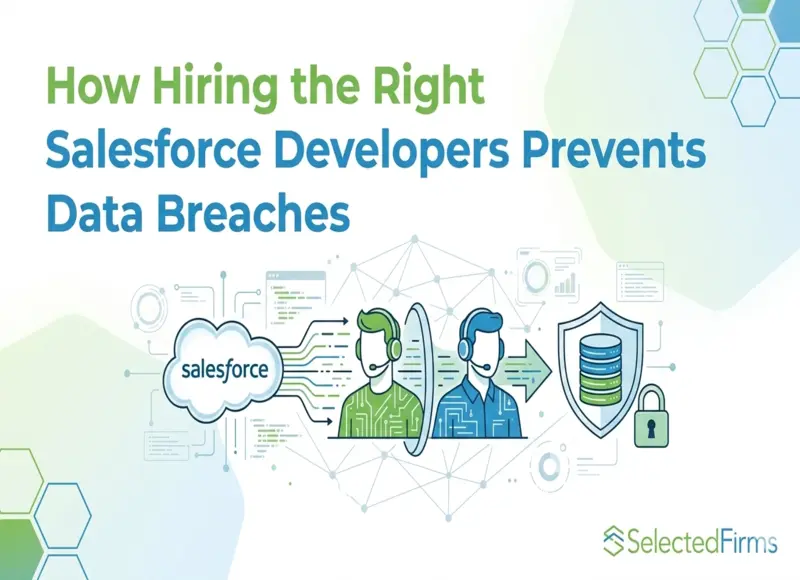
In 2023, a security researcher found that dozens of organizations — including banks, hospitals, and government agencies — were leaking sensitive data through their Salesforce instances. The cause wasn't a platform flaw. It was misconfigured guest user permissions in Salesforce Communities, set up by developers who didn't fully understand the sharing model.
Nobody breached a firewall. Nobody exploited a zero-day. The data was simply accessible because someone built the system incorrectly.
This pattern repeats across the Salesforce ecosystem. The platform provides robust security controls, but those controls depend entirely on the people writing the code and configuring the org. When developers lack security awareness, they create vulnerabilities that no firewall, WAF, or monitoring tool can compensate for.
The decision to hire Salesforce developers isn't just a staffing question. It's a security decision with consequences that can surface months or years after deployment.
The Security Risks That Live in Custom Code
Out-of-the-box Salesforce is reasonably secure. The problems start when organizations customize it — and almost every organization does. Custom Apex classes, Lightning Web Components, Visualforce pages, triggers, and integrations introduce code that operates inside Salesforce's trust boundary but doesn't automatically inherit its protections.
A developer who writes an Apex controller without enforcing CRUD and FLS (field-level security) permissions can expose records that the running user shouldn't see. This isn't theoretical — it's one of the most common findings in Salesforce security reviews.
SOQL injection is another frequent issue. When developers construct queries by concatenating user input instead of using bind variables, they open the door to injection attacks that can read, modify, or delete data the attacker was never meant to access. It's the same category of vulnerability that has plagued web applications for decades, just wearing a Salesforce-specific costume.
Then comes cross-site scripting, basically. Lightning Web Components that display user-supplied data without proper sanitization can execute hostile scripts in other users' browsers. In a CRM configuration, this means an attacker could slip in a script inside a case comment or an account field that runs every time a support agent opens that record.
These vulnerabilities show up because the developer didn't really know, or didn't focus on secure coding practices. The platform cannot guard against code that deliberately skips its security model, even if the skipping was not intended.
Insecure Integrations: The Quiet Attack Surface
Modern Salesforce orgs are rarely run by themselves. They hook up to ERPs, marketing tools, payment gateways, data warehouses, and a ton of third-party services using APIs. Each integration is like a possible front door, and the developer who puts it together decides whether that front door is kept locked or left open, at the end of the day.
Common mistakes are hardcoding API credentials inside Apex classes instead of relying on named credentials , also forgetting to validate the incoming webhook payloads before doing any processing, giving integrations broader OAuth scopes than they really require, and skipping rate limiting on custom API endpoints.
A developer who hardcodes a third-party API key in source code has created a credential that's visible to anyone with access to the org's metadata. If that key authenticates to a payment processor or a data warehouse containing personally identifiable information, the exposure is significant — and it might not be discovered until long after deployment.
Skilled developers treat each integration like an access point with risk, I mean. They use named credentials for external callouts, validate and sanitize every inbound bit of data, scope OAuth tokens to the barest permissions needed, and log API activity for anomaly detection. This isn’t advanced wizardry; it’s baseline practice that separates security-aware developers from people who just make things work, you know.
Permission Misconfigurations: Access by Accident
Salesforce's access control system — profiles, permission sets, sharing rules, role hierarchies, org-wide defaults — is powerful but complex. A single misconfiguration can expose thousands of records to users who should never see them.
The Community user incident mentioned earlier is a prime example. Developers stood up Experience Cloud sites and granted guest users access to objects and fields without understanding the cascading implications of those permissions. The data wasn't stolen in the traditional sense. It was simply served to anyone who knew the right URL.
Less dramatic but equally dangerous: developers who clone a System Administrator profile to create new user profiles, carrying over elevated permissions that never get trimmed. Or developers who set org-wide defaults to "Public Read/Write" during development and forget to restrict them before go-live. Or custom Apex that runs in "without sharing" mode — bypassing all record-level security — because the developer wanted to avoid access errors during testing.
These aren't edge cases. They're patterns that security auditors see in org after org. And they're almost always traceable to a developer who understood Salesforce's functionality but not its security implications.
What Security-Aware Salesforce Developers Do Differently
The gap between a developer who writes working code and one who writes secure code shows up in specific, observable practices.
Secure developers enforce CRUD and FLS checks in every Apex controller and trigger. They use WITH SECURITY_ENFORCED in SOQL queries or explicitly check Schema.sObjectType permissions before performing DML operations. They never assume that because a user can reach a page, they should see all the data on it.
They use bind variables in every SOQL query. No exceptions, no shortcuts, no "it's fine because this input comes from a picklist." Injection vectors change as code evolves, and the only safe approach is to never construct queries from raw input.
They sanitize output in Lightning Web Components. Any data rendered in HTML context goes through proper encoding. Any dynamic attribute values get validated. They test for XSS the same way web developers test for it in any other framework — because Lightning components are web components.
They follow the principle of least privilege when configuring access. "Without sharing" is used only when there's a documented business justification, and its scope is as narrow as possible. Permission sets are granular and purpose-built rather than cloned from admin profiles.
And they build integrations defensively. Named credentials over hardcoded secrets. Scoped OAuth tokens. Input validation on every inbound endpoint. Error handling that doesn't leak system information in response bodies.
These practices don't slow development down significantly. But they require knowledge and discipline that not every developer brings to the table.
The Cost of Getting It Wrong
A data breach originating from a Salesforce org carries the same consequences as any other breach — regulatory fines, legal liability, reputational damage, and customer churn. Under GDPR, fines can reach 4% of global annual revenue. Under CCPA, statutory damages range from $100 to $750 per consumer per incident. Class action lawsuits add another layer of financial exposure.
But the less visible costs are often worse. A breached CRM means compromised customer relationships — the exact relationships the CRM was supposed to strengthen. Sales teams lose access during incident response. Support teams can't serve customers while systems are locked down for forensic analysis. And rebuilding trust with affected customers takes years, not months.
The irony is that most Salesforce-related breaches are preventable. They don't require sophisticated attacks to exploit, and they don't require sophisticated defenses to prevent. They require developers who understand security fundamentals and apply them consistently.
How to Evaluate Developers for Security Competence
When building or expanding a Salesforce development team, a few signals separate security-conscious developers from the rest.
Certifications matter, but not all certifications are equal in this context. Platform Developer II covers secure coding practices, governor limits, and advanced platform features. The Sharing and Visibility Architect credential demonstrates deep understanding of access control design. These carry more security weight than entry-level certifications.
Ask candidates how they handle CRUD/FLS enforcement in Apex. If the answer is vague or involves "running as admin," that's a red flag. Ask how they prevent SOQL injection. If they don't mention bind variables immediately, keep looking. Ask about their experience with Salesforce security reviews — even if the role doesn't involve AppExchange development, familiarity with security review standards indicates a higher baseline of code quality.
Look at their integration work. Have they built integrations using named credentials? Do they understand OAuth 2.0 flows? Can they explain how they'd secure a custom REST endpoint in Apex? The answers reveal whether security is part of their development process or something they've never been asked about.
And pay attention to how they talk about access control. Developers who think in terms of "make it work" will configure broad permissions. Developers who think in terms of "make it safe" will start with the minimum and build up. That mindset difference matters more than any single technical skill.
Security Is a Hiring Decision
Every line of custom code in a Salesforce org either strengthens or weakens its security posture. Every integration either protects data in transit or exposes it. Every permission configuration either limits access to what's necessary or grants access to what's convenient.
The developers who build these systems make hundreds of small decisions that compound into the organization's overall security profile. Hiring developers with the right security awareness doesn't eliminate risk entirely — nothing does. But it addresses the most common source of Salesforce vulnerabilities: human error in code and configuration.
The platform will keep evolving. Threats will keep adapting. But the fundamentals of secure development — input validation, least-privilege access, encrypted communications, defensive integration design — remain constant. Investing in developers who understand these principles is one of the most effective cybersecurity decisions an organization can make.


Head Of Digital Marketing
Recent Blogs

Jane Hart
How Smartphone Accessory Brands Combine Product Design and eCommerce Innovation
-

05 Nov 2026
-

8 Min
-

38
Jane Hart
7 Costly Mistakes to Avoid When Outsourcing IoT Hardware Development
-
29 Oct 2026
-
6 Min
-
186


Elia Martell
E-commerce Email Templates: What Your Shopify Store Needs
-
30 Oct 2026
-
6 Min
-
106