


Top 11 Best Free AI to Human Text Converters for Business
-
Last Updated:

25 Dec 2025
-
Read Time:

5 Min Read
-
Written By:
 Isha Choksi
-
5555
Table of Contents
Explore leading web search APIs for aggregating LLM training data at scale, offering high recall, semantic understanding, and structured outputs that support efficient data pipelines and improve the quality of large language model training.
AI-to-human converters help teams fix AI-generated drafts, remove harsh or repetitive phrases, and create text that fits emails, reports, and customer communication. Many teams face dozens of tools and no clear path to a reliable option. Our ranking solves that issue. We use real tests, strict metrics, and tone checks to show how each free converter performs in practical business tasks.
The list below shows which tool fits short briefs, long reports, or client communication, so any team can find a stable match for daily work.
Why Businesses Use AI-to-human Text Converters in 2026
Companies now create large volumes of text with AI, yet many drafts fall into narrow patterns and stiff structure. This creates issues in emails, short reports, internal notes, and SEO material, where a natural tone holds real value.
More platforms now rely on automated checks, so business text must avoid clear AI markers. This pressure raises a practical question inside many teams: how to humanize AI content without a shift in meaning. The same question appears in active user threads, where real tests and direct experience shape the advice. One well-known Reddit discussion shows this need in detail.
How AI-to-human Converters are Evaluated in This Guide
Our guide uses real-world tests to evaluate how well each AI-to-human converter performs on practical business tasks. Each tool was asked to humanize three fully AI-generated texts (from professional intros to cultural and technical summaries). These drafts simulate the kind of content businesses often produce using generative AI.
After processing, the rewritten texts were analyzed using a combination of grammar scoring, AI detection checks, and manual review to determine how “human” the results felt and how well the tools preserved clarity, structure, and intent.
The following five criteria were used, each rated on a 1 to 5 scale:
- Tone accuracy. How natural and human the rewritten text sounds.
- Structure control. Whether the original logic, flow, and formatting were preserved.
- AI-Trace removal. Measured using ZeroGPT and GPTZero, this indicates how well the tool removed detectable AI patterns.
- Grammar quality. Assessed through a mix of assisted grammar scoring and Quillbot checks.
- Free-tier value. Based on how generous the free plan is in terms of word count, features, and access.
We also note how an AI humanizer for business can make AI text sound human in cases where the default model output feels too rigid. Benchmarks with numeric data appear later in the guide to show how each option behaves in controlled examples.
Top 11 Converters for Business Use
Now, let us move to the rating itself. The list begins with the options that show the strongest results in real tests and hold the highest value for business use.
1. Clever AI Humanizer
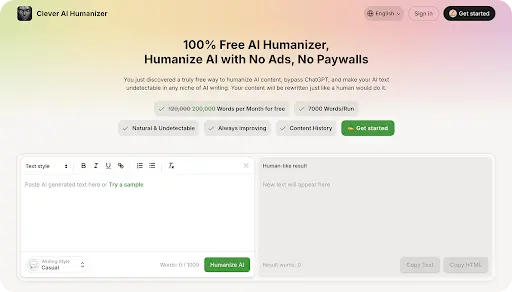
Best for: long business drafts, formal communication, client notes, multi-section reports
Clever AI Humanizer stands out as a free AI-generated text humanizer that supports large corporate workloads and holds a steady professional tone across long documents. It adjusts complex material without distortion, keeps factual detail intact, and avoids forced patterns that often appear in automated text. This makes the tool suitable for reports, analytical summaries, technical notes, and client-facing communication where precision shapes trust.
What you get for free:
- 200K words per month, the highest free quota among all evaluated tools
- Access to all core text-adjustment modes
- Steady tone control for long business documents
- Natural form without model-like traces
- Practical use for daily corporate communication
Our score:
- Tone accuracy
- Structure control:
- AI-trace removal:
- Grammar quality:
- Free-tier value:
Final thoughts:
Clever AI Humanizer fits teams that work with large text volumes and want a natural voice without loss of meaning. It holds clear form, stable tone control, and full removal of automated traces. The tool stands at the top of this rating because all metric values in our tests reach the highest level across tone, structure, human-score, and overall stability.
2. Grammarly AI Humanizer
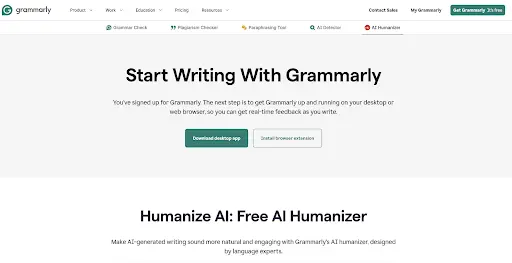
Best for: short business notes, concise client updates, formal internal messages, compact structured text
Grammarly AI Humanizer holds a clear place in this field as a tool that forms strict grammar control, a steady tone, and a readable structure in business texts.
Short corporate text often calls for strict clarity and factual accuracy. This AI-to-human text converter offers a way to humanize AI writing with an average grammar score of 9.33/10 across three separate samples. It also fits situations where teams want to understand how to humanize ChatGPT in tight business cycles, and where a ChatGPT humanizer method can support clean refinement across internal updates. All human-evaluation metrics hold a 100/100 rating for structure, variation, and coherence.
What you get for free:
- Access to 2,000 words for free use
- Grammar precision near 9.5/10 in short segments
- Human-like form confirmed by 100/100 coherence checks
- Accurate output with zero factual deviation
- Practical support for daily corporate communication
Our score:
- Tone accuracy:
- Structure control:
- AI-trace removal:
- Grammar quality:
- Free-tier value:
Final thoughts:
Teams that depend on short internal or client communication gain strong value here. Stable structure, high grammar precision, and zero repetition signals create a clear professional voice without artificial traits. This level of consistency positions the tool as a dependable option for compact business content.
3. Undetectable AI Humanizer
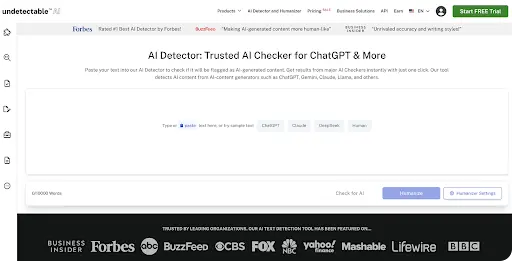
Best for: early draft revision, basic corporate notes, short, low-detail updates, simple summaries, high-volume rough material
Short corporate text often needs a quick adjustment stage before it enters a workflow. At this point, the topic of how to humanize AI content acts as a practical requirement rather than a deep stylistic task. This option works within scenarios where rough fragments shift into readable form without advanced structure or tone controls.
The tool can assist when rough output demands a clearer base form. It also operates as an AI-generated text humanizer, supports attempts to humanize ChatGPT across short blocks, and offers a basic path to make AI text undetectable in high-volume, low-risk cycles. A simple route to bypass GPT Zero remains possible, although grammar precision stays modest in comparison with higher-tier tools.
What you get for free:
- Up to 20,000 words with free access
- Grammar precision in the 4.5-5.5/10 range
- Sentence variety at 93, 18, and 58
- Structure stability near 87.6 on average
- Zero factual deviation across all test blocks
Our score:
- Tone accuracy:
- Structure control:
- AI-trace removal:
- Grammar quality:
- Free-tier value:
Final thoughts:
This option maintains a clear role for early-phase drafts that call for simple correction without deep structure. Strong human-score values, zero factual drift, and a readable surface form create practical value for rough corporate segments, although grammar precision stays low. It fits high-volume internal cycles rather than refined business communication.
4. Bypass.hix Humanizer
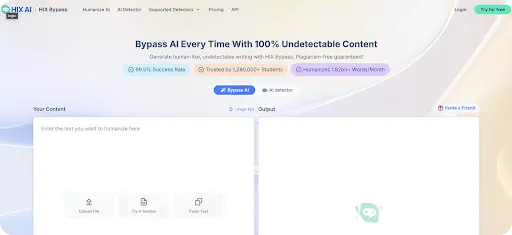
Best for: mid-size office text, structured notes, formal outlines, project material, internal content that requires fast refinement
Certain corporate tasks call for a tool that can adjust rough sections without complex manual control. In such cases, Bypass.hix Humanizer can be exactly what you need, since it forms clear text, holds stable tone control, and removes automated traits without loss of meaning.
The tool acts as an AI to human converter with a tone range that fits routine business cycles. It can adjust raw AI writing into a clearer form and introduces a path to make AI text undetectable when surface precision must reach a cleaner standard. Output also holds value for early versions of internal notes that later shift into polished corporate use.
What you get for free:
- Up to 5,000 words in free access
- High grammar precision with minor refinement points
- Variation levels near 90+ in two samples
- Zero factual deviation across all entries
- Practical use across formal short or mid-size blocks
Our score:
- Tone accuracy:
- Structure control:
- AI-trace removal:
- Grammar quality:
- Free-tier value:
Final thoughts:
Our tests show strong human-score output, firm grammar control, and zero factual drift across all text samples. The numeric profile fits mid-size business material that requires a clear tone and stable variation without deep stylistic layers. The free tier holds enough volume for routine cycles inside formal office communication and allows direct use in daily workflows.
5. WriteSonic Humanizer
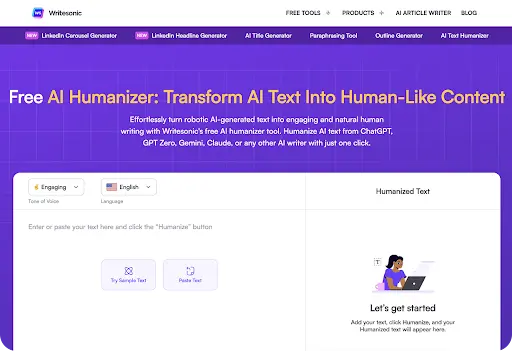
Best for: mid-size reports, structured project notes, formal short briefs, early outline material, internal planning text
WriteSonic Humanizer shows clear value in cases where a team must correct flat tone and remove automated traits fast. Test results confirm strong clarity, firm grammar control, and a steady form across short and mid-size drafts.
WriteSonic also acts as the best free AI humanizer for mid-range corporate blocks. It adapts rough AI writing into a stable form and stands as a top AI humanizer for short office material. A path to bypass AI detectors also remains possible, since human-score values stay at 100 across all evaluated samples with zero factual drift.
What you get for free:
- Up to 10,000 words with free access
- Grammar precision is near 8.5/10 on average
- Strong variation with values near 90+ in two samples
- Zero factual deviation across all tests
- Good value for daily corporate blocks
Our score:
- Tone accuracy:
- Structure control:
- AI-trace removal:
- Grammar quality:
- Free-tier value:
Final thoughts:
The tool performs well across short and mid-size office text, with strong human-score values, low drift, and stable grammar output. These traits create a clear fit for routine corporate cycles that need a neutral tone and predictable clarity across each block.
6. GPTinf Humanizer
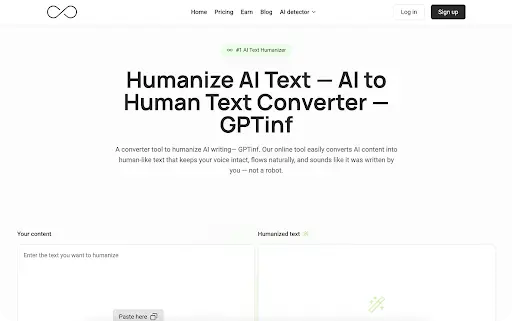
Best for: formal blocks, compact business briefs, internal guideline text, structured project notes, short analytical units
GPTinf shows a clear advantage in small and mid-size corporate text. In our tests, this platform reached an average grammar score of 8.67/10, with zero factual deviation and AI-detection ratings of 100/100/100 across all GPTZero checks. This profile suits companies that want a tool that keeps an office-ready tone without a shift in meaning or logic.
The service also holds structural variation at 96-99 across all evaluated samples, which protects short blocks from flat form or repetitive loops. In our dataset, GPTinf kept stable terminology and a firm internal structure even in compact text, where many alternative platforms lose clarity or compress form too aggressively.
What you get for free:
- Up to 5,000 words in free access
- Grammar precision is near 8.67/10 on average
- Variation levels near 96–99 across samples
- Zero factual deviation across all entries
- Reliable clarity inside short corporate cycles
Our score:
- Tone accuracy:
- Structure control:
- AI-trace removal:
- Grammar quality:
- Free-tier value:
Final thoughts:
The tool offers strong clarity, reliable structure, and minimal drift across compact text. Its numeric profile shows high variation and a steady human-score range, which forms a stable base for office work that requires clean, neutral language without deep stylistic control.
7. TwainGPT Humanizer
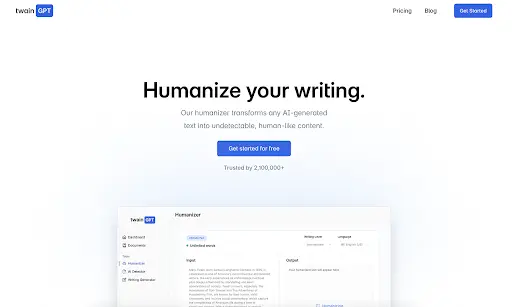
Best for: routine summaries, status notes, task briefs, internal coordination
Many teams select this option when they want to turn fragmented AI output into clear office text without manual work. Our test set shows a mixed profile: grammar values at 7/10, 8/10, and 7/10, which form an average near 7.33/10. ZeroGPT results show 0/99/0, while GPTZero shows 8/92/4, so stability remains uneven.
This pattern fits short business notes that require a basic tone and a direct form. The tool keeps meaning intact and holds a simple structure, yet some lines lose detail too fast or form repeated segments inside small blocks.
What you get for free:
- 8,000-word monthly access with no forced actions
- Clear tone for routine business messages
- Stable sentence variety across most runs
- No sudden stylistic jumps in compact notes
- Simple form that suits task lists or daily recaps
Our score:
- Tone accuracy:
- Structure control:
- AI-trace removal:
- Grammar quality:
- Free-tier value:
Final thoughts:
TwainGPT suits teams that craft short internal messages and need a quick filter for stiff logic. It holds clarity in tight formats, avoids factual distortion in most attempts, and offers a stable variety in language. The free tier fits environments that rely on office updates, task overviews, or brief instructions without high structural complexity.
8. Grubby AI Humanizer
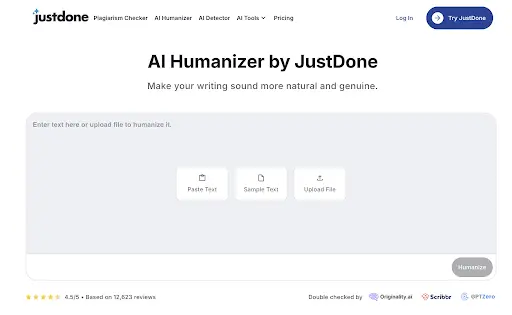
Best for: compact notes, micro-tasks, short corrections, small messages for internal use
Grubby AI shows a light-duty profile. In our tests, it reached grammar scores of 8.5/10/7/10/7.5/10, with ZeroGPT scores of 57.94/0/0 and a mixed GPTZero line of 96/82/91. This places the tool in the “quick fixes” segment rather than full-document work.
Such results match the way teams tend to use it: short lines, small internal notes, and rapid edits under time pressure. The converter keeps meaning intact, forms a clean office tone, and stays stable in minimal text blocks, yet it often reduces variation and leaves traces of compression in longer sequences.
What you get for free:
- 300-word limit for rapid corrections
- Basic tone clean-up for small tasks
- Clear rhythm in one-screen segments
- No factual drift in short drafts
- Fast adjustments for internal coordination
Our score:
- Tone accuracy:
- Structure control:
- AI-trace removal:
- Grammar quality:
- Free-tier value:
Final thoughts:
Grubby supports teams that handle small notes, task remarks, or simple internal updates. It holds clarity, avoids major logic gaps, and works best in short blocks. The word limit and unstable human-score restrict broader use, yet the tool remains a quick filter for micro-tasks that require a cleaner tone.
9. Decopy AI Humanizer
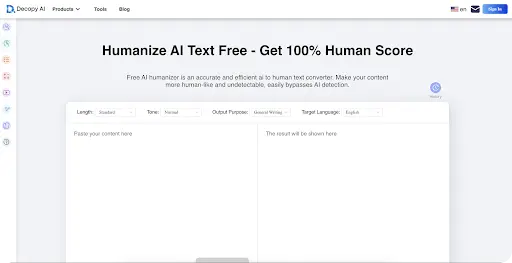
Best for: high-volume drafts, broad public communication, early brand messages
Decopy shows strong consistency across all three samples in our evaluation. The tool reached grammar scores of 9/10, 9.5/10, and 9/10, which signals a stable rewrite profile without disruptive shifts in meaning. In automated detection checks, the platform reached 10.25 on ZeroGPT and a 9.5/10 human-likeness score in GPTZero, which positions it above many free converters in this category.
What you get for free:
- Full access to unlimited revisions without hidden limits
- Clear and readable tone for a wide audience or public content
- Balanced structure across multi-paragraph sections
- Zero distortion of the core message during rewrite cycles
- Fast text correction for early brand drafts that require stability
Our score:
- Tone accuracy:
- Structure control:
- AI-trace removal:
- Grammar quality:
- Free-tier value:
Final thoughts:
This option supports teams that handle broad outreach material, high-volume content, and early creative drafts. It shapes text into clear blocks, avoids meaning distortion, and offers unlimited use for extensive workloads. The tone stays casual, so formal teams may need another layer of editing, yet the value of an unrestricted free plan remains strong.
10. UnAIMyText Humanizer
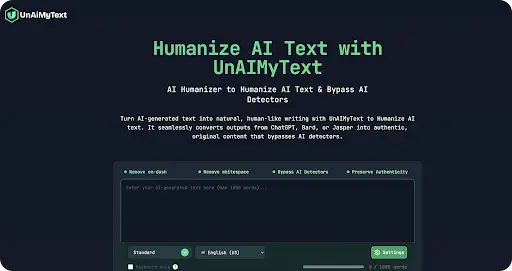
Best for: fast filtering of early drafts, large batches of unrefined notes, broad non-technical content
At number 10, UnAIMyText Humanizer shows a mixed profile in our evaluation. The grammar scores in three independent samples reach 8/10, 7.5/10, 6/10, which form an average near 7.17/10. In AI-detection checks, ZeroGPT returns 100/96.14/15.52, while GPTZero results stay at 100/100/100, so the detector stability remains inconsistent.
The tool preserves meaning without heavy distortion, yet it compresses long lines too sharply in several cases and sometimes reduces variation in compact segments.
What you get for free:
- Unlimited revisions without a cap
- Clear overview for large text batches
- Basic structure support for early drafts
- No loss of intent across segments
- Fast adjustment for wide, non-technical notes
Our score:
- Tone accuracy:
- Structure control:
- AI-trace removal:
- Grammar quality:
- Free-tier value:
Final thoughts:
This option remains suitable for raw text that needs a cleaner surface before further editing. It handles large volumes well, keeps the base message intact, and gives a workable draft for teams that operate in early creative stages. Deep business communication may require a stronger option, yet unlimited access and consistent clarity give this service value inside broad content workflows.
11. Monica Humanizer
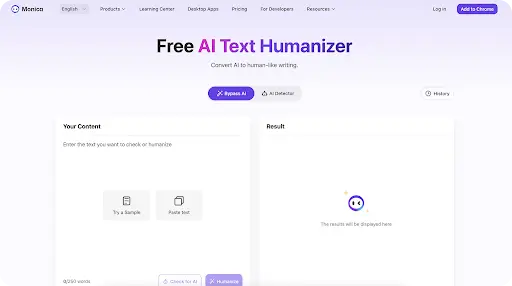
Best for: short notices, compact public updates, simple one-paragraph messages
At the last position stands a tool that shows the weakest numeric profile in our evaluation. Monica reached grammar scores of 7.5/10 and 8/10, with AI-detection readings 0/94/100, which signals unstable behaviour across short blocks. These values place the service behind all other converters in this ranking.
Its free plan limits output to 250 words, which restricts use in routine office cycles. Monica maintains a basic neutral tone without major distortion, but it often produces uneven structure or shifts in clarity on compact paragraphs.
What you get for free:
- 250-word limit for quick adjustments
- Clear tone for short messages
- Basic structure control for small notes
- No distortion of the core message
- Rapid cleanup for simple workplace content
Our score:
- Tone accuracy:
- Structure control:
- AI-trace removal:
- Grammar quality:
- Free-tier value:
Final thoughts:
This option works for short workplace content that needs a quick, clean voice before distribution. It maintains clarity, holds meaning, and keeps transitions stable within small text blocks. Longer or complex drafts may need additional tools, yet the service remains useful for compact communication and rapid first-pass adjustments.
Stanford University research into AI detection highlights why businesses need thoughtful content approaches. Testing these eleven platforms showed dramatic variations—grammar scores ranged from 4.5/10 to 9.5/10, while structural indices spanned 18 to 99. Platforms that effectively humanize AI-generated content don't just bypass detection—they balance proper grammar, natural flow, and meaning preservation. Top performers scored above 8/10 for grammar while exceeding 90 on variation metrics, coming closest to actual human writing. Companies getting real results pick tools showing consistent quality across different content types rather than chasing occasional perfect scores in single tests.
Conclusion
Across all eleven tools reviewed, performance varies widely depending on text length, tone requirements, and business context. Some converters excel at short internal messages, while others handle long-form reports, technical summaries, or client-facing communication more effectively. Our testing shows that consistency in tone, structure, and clarity remains the key factor when selecting an AI-to-human text converter for professional use.
As AI-generated writing becomes more common, businesses face increasing pressure to refine automated drafts so they read naturally and pass modern AI-detection systems. Reliable humanization tools now make it possible to preserve meaning, maintain structure, and reduce detectable patterns without adding extra editing layers.
In practice, the best choice depends on workflow needs, document size, and the level of polish required. By comparing real-world performance, detection results, and free-tier value, teams can select a solution that fits their daily communication demands and supports clear, human-sounding business writing.

Head of SEO Operations
Recent Blogs


Elia Martell
5 Virtual Recruiting Support Operations for Tech and Healthcare Teams
-
09 Oct 2026
-
8 Min
-

462


Jane Hart
Why LinkedIn Campaign Optimization Requires More Than CPC and CTR
-
09 Oct 2026
-
8 Min
-
150

Jane Hart
How to Vet an Offshore SEO Partner: A Due-Diligence Checklist for Agencies and Brands
-
08 Oct 2026
-
8 Min
-
249

Jane Hart
Benchmarking GPU Providers: A Practical Guide to Comparing Cloud Compute Options
-
07 Oct 2026
-
6 Min
-
171
