Table of Contents
Remote work made your team location-independent. IT service delivery had to catch up, too. The real question is whether your IT support can keep pace with a workforce that could be anywhere. Let's see how Remote Access Plus helps you fix any computer from
When something breaks on a coworker's laptop, what usually happens next?
If your growing business relies on a hybrid work model, an honest response would be some version of “it depends on where the coworker is stationed.”
If they're working from home three time zones away from the main office, or worse, if the culprit is a server humming away in a back room at 11 PM, things can get complicated fast.
Suddenly, you're trading screenshots in a chat thread, reading registry paths out loud over a call, and asking a non-technical employee to "click the Start menu and tell me exactly what you see.”
It's slow. It's frustrating. And while it drags on, staff productivity grinds to a halt, becoming an expensive chain of events nobody wanted. By some estimates, unplanned downtime costs the average small and midsize business around $8,000 an hour. For a lean team, even a fraction of that adds up.
Remote access software bridges this gap.
What is Remote Access Plus?
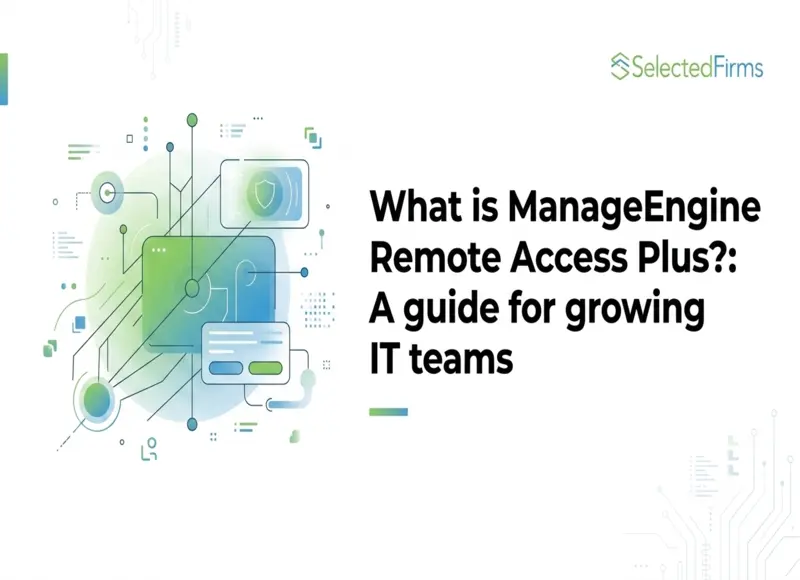
Remote Access Plus is a tool that lets you securely connect to and control any computer you manage from anywhere, all through a single dashboard. Think of it as a way to see exactly what the end user sees, and fix the problem as if it were sitting right in front of you.
A few things make the tool more than just a screen-sharing tool. It works across Windows, macOS, Linux, and even Android devices, so you're not juggling a different tool for every platform. You can run it on the cloud or install it on your own servers, whichever your business prefers. And it doesn't need a clunky VPN tunnel or the target computer to be on the same network as you are. If the machine has an internet connection, you can reach it.
Why does remote access matter?
Not long ago, IT support usually meant walking over to someone's workspace or bringing your laptop to the IT support desk. This model quietly fell apart over the last few years, and here's why:
|
Reason |
What's changed |
|
Hybrid and distributed teams |
Teams are split across homes, co-working spaces, and branches. Remote access is now a daily necessity, not a backup plan. See these remote software development tips for tracking distributed teams. |
|
Your IT department might be one person (or you) |
Most small and mid-market companies run on one or two IT people, a shared MSP, or someone who got voluntold. Every minute spent driving somewhere or patching a workaround is a minute lost to real work. |
|
DIY methods don't scale, and some are unsafe |
Without the right tool, people improvise: shared passwords, scattered files, random remote sessions. It works until it doesn't, and it's nearly impossible to secure or audit. A purpose-built tool fixes all of that. |
|
IT service expectations have risen. |
Employees now expect the same fast, frictionless support they get from consumer tech. IT services are judged less on whether an issue eventually gets fixed and more on how quickly and smoothly it happens. |
What you get with a business-grade remote access tool
Here's a quick tour of what Remote Access Plus puts at your fingertips:
- Access any remote computer in seconds: Take full remote control of a machine, flip between the user's multiple monitors, and work through the issue while you both watch. It feels like you're right there with them, just as you would be back at the office.
- Fix things under the hood: A built-in toolkit with more than 12 utilities allows you to manage services and processes, open Command Prompt (or Terminal in the case of macOS), edit the registry, check the Device Manager, manage users, and move files, all in the background while your end user keeps working.
- Communicate with your users: Built-in voice, video, and text chat mean you can guide users in real time and even pull in a second technician to troubleshoot a tricky problem together.
- Reach unattended machines: Wake-on-LAN powers up computers that are switched off; unattended access lets you support unmanned machines even while no one is using them; and you can power off, lock, or hibernate computers one at a time or in bulk.
- Transfer files back and forth: Drag the patch, driver, log file, or installer you need straight to the remote machine. This allows you to move files without having to resort to alternate means such as email, cloud storage, or thumb drives.
- Control phones and tablets: You can remotely view and control Android devices in real time just like any desktop PC, which is handy if your team is always on the move.
- Keep a clean record: Record entire remote sessions and fetch audit-ready reports with complete information on most recent sessions, session activity, chat history, and more, helping you stay on top of compliance and regulations such as HIPAA, the GDPR, and the PCI DSS.
- Fit into your existing IT workflow: Remote Access Plus works alongside the way your team already operates, so sessions stay tied to the tickets and processes your technicians already use, not a separate disconnected tool.
Who is Remote Access Plus for?
Remote access tools aren't only for giant enterprises with a 50-person help desk. Remote Access Plus can be a great fit for:
- The one-person IT: If you're everyone's go-to when something breaks, manage it all from a single screen instead of hopping between devices, so you can support more users in less time.
- In-house IT teams and help desks: As support requests grow, a centralized solution helps technicians resolve tickets faster, hit SLA targets, and keep full visibility into every session.
- Managed service providers (MSPs): If your clients are spread out, pull up any of their machines from one console. No driving out for a quick fix. Switch between client environments fast and keep support running smoothly, no matter how many clients you handle.
- Distributed and multi-location businesses: Keep every device within reach, whether it's retail branches, satellite offices, or remote employees, with consistent support regardless of location.
- Regulated businesses: Healthcare, finance, and retail companies need remote access with real safeguards, like user consent, session recording, and audit trails. When these are built in from the start, staying compliant is simple, and every session stays clear and accountable.
Real situations where Remote Access Plus earns its place
Features are nice, but knowing where they click is even better. Here are a few real-life scenarios where Remote Access Plus truly shines:
1. The work-from-home laptop that won't cooperate
An employee three time zones away can't get their VPN client to connect, and they're not exactly sure what a "network adapter" is. Instead of a 40-minute back-and-forth, you connect to their laptop, see the problem yourself, and fix the setting, allowing them to get back to work before their coffee gets cold.
2. The 2 AM server nobody's attending to
A service fails on a server hidden out of sight in the back room (or in another building entirely). With Unattended Access, you don't need anyone on site to oversee the troubleshooting process. You log in remotely, restart the service, check the logs, and confirm it's healthy before bringing the server back into production.
3. Onboarding new hires across multiple offices
Your new employees start Monday in three different branch locations. Rather than travelling around the country, you can access each machine remotely, install the apps they need, transfer their files, and get them fully set up on time, every time.
4. The retail store
A point-of-sale terminal or a kiosk at a remote location is acting up during peak business hours. You jump in, diagnose it, and resolve it without disrupting business operations or dispatching your technicians.
5. The tricky problem that needs two sets of hands
Some issues are stubborn. With collaborative troubleshooting plus voice and video chat, a junior technician can pull in a senior colleague mid-session so they're both looking at the same screen, eliminating any need to ask, "Can you describe what you're seeing?"
Should you give Remote Access Plus a try?
If any of the above scenarios hit a little close to home, the answer is probably yes. The great news is that it costs nothing to try the solution for yourself.
Remote Access Plus bundles the capabilities a growing team needs into one solution:
- Fast remote control for quick issue resolution.
- Advanced troubleshooting toolkit to diagnose and fix problems remotely.
- Secure file transfer between technician and end-user devices.
- Built-in voice, video, and text chat for real-time collaboration.
- Cross-platform support for Windows, macOS, Linux, and Android.
- Session recording and audit-ready reporting for compliance and accountability.
- Cloud and on-premises deployment options to suit different business needs.
It also comes in three flavors: a fully functional free edition that's perfect for smaller teams, plus Standard and Professional editions as your team expands. Remote Access Plus already supports more than 700,000 endpoints and has powered over 18 million remote sessions for more than 1,000 businesses.
The easiest next step? Head over to the official ManageEngine Remote Access Plus page to explore the full feature list, spin up a live demo, or start a free trial.
FAQs
Yes. There's a fully functional free edition for smaller teams, plus paid Standard and Professional editions for larger setups. Compare them on the official product page.
No. Remote Access Plus reaches computers over the internet, with no VPN tunnel or local network needed, making it easy for remote and hybrid teams.
Windows, macOS, and Linux computers, plus remote view and control for Android devices, all from a single console.
RDP works for one Windows machine but doesn't scale well. Remote Access Plus adds a central dashboard, cross-platform support, consent controls, and audit-ready reporting.
Yes. It supports the way in-house IT teams already work, day-to-day troubleshooting, ticket resolution, and session tracking, without disrupting your process.


Head Of Digital Marketing
Recent Blogs

Jane Hart
How Smartphone Accessory Brands Combine Product Design and eCommerce Innovation
-

05 Nov 2026
-

8 Min
-

38
Jane Hart
7 Costly Mistakes to Avoid When Outsourcing IoT Hardware Development
-
29 Oct 2026
-
6 Min
-
186

Elia Martell
E-commerce Email Templates: What Your Shopify Store Needs
-
30 Oct 2026
-
6 Min
-
106