Table of Contents
Digital agencies looking to handle EU client workloads need to consider GDPR responsibilities, server locations, client separation, provider commitments, and data exit planning, which can affect how an agency sets up and manages client environments. This
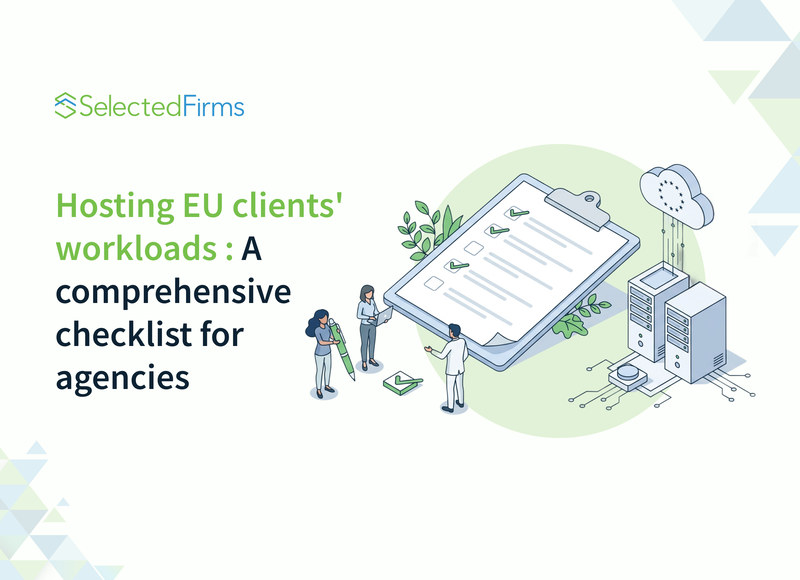
Digital agencies end up running more infrastructure than they plan. A web project goes live on a server the agency set up, then comes a staging environment, a marketing automation tool, and the client's customer database. When your client in Germany or France asks where its data is stored and who can access it, the honest answer is sometimes uncomfortable.
If you are hosting EU client workloads, such as websites, applications, and customer data, the choice of infrastructure is both a technical and a contractual decision. Before you sign the client or order the server, settle on these five points:
- Your role under the General Data Protection Regulation (GDPR)
- Where data and backups are stored
- How client environments are separated
- What the provider commits to in writing
- How client data is returned or deleted after the contract ends
This guide is general guidance, not actual legal advice, so involve your lawyer for contract wording.
Understand Your Role Under GDPR
Agencies that host or manage client systems containing personal data usually act as data processors, with the client as controller. Your hosting provider then typically becomes a sub-processor. That chain has practical consequences.
Article 28 of the GDPR requires a written contract between controller and processor that covers processing documented instructions only, security measures, assistance to the controller, deletion or return of data when the service ends, among other things. It also requires the controller's authorisation for sub-processors.
In practice, that means you should have:
- A data processing agreement with each client whose personal data you handle.
- A matching agreement with every provider under you.
- A list of sub-processors you can share with clients, and a process for telling them about changes.
- A record of where data lives, including backups and logs.
Paperwork often lags behind infrastructure. An hour spent mapping your actual setup can reveal one forgotten server or third-party plugin that receives personal data.
Repeat the exercise whenever a project adds a new tool, because analytics scripts, form services, and chat widgets often become sub-processors without anybody noticing.
Decide Where The Data Lives
GDPR does not require all data to remain in the EU, but transfers outside it need a legal basis, and many clients prefer to avoid that conversation altogether. Keeping production data, backups, and logs in the EU or the European Economic Area (EEA) is usually the simplest position to discuss with a client's legal team.
Location also affects performance. Choose a place central to your clients' users and well connected to European networks. The Netherlands is one place worth shortlisting: Amsterdam is home to the Amsterdam Internet Exchange (AMS-IX), one of the major internet exchanges, and offers strong connectivity across the continent.
Hosting type matters here too. A client with sensitive data may need a separate virtual machine or its own hardware. In that case, a Netherlands dedicated server gives you a physical machine that no other tenant shares, and you can add locations such as Germany or France when a client's users or policies point there.
Whatever you choose, check the whole chain. A server in Amsterdam does not help if backups replicate to another continent, or if a monitoring tool sends customer data to a service elsewhere.
Separate Clients Properly
Sharing one server across clients creates a technical risk for your agency. A vulnerable plugin on one client's site should not expose another client's data.
The table below is a practical baseline, and a client's contract or security policy may require more.
|
Control |
Minimum for small sites |
For clients with sensitive data |
|
Isolation |
Separate system users and databases per client |
Separate virtual machine (VM) or dedicated server |
|
Access |
Named accounts, SSH keys, and multi-factor authentication (MFA) |
Plus access logs and quarterly reviews |
|
Encryption |
HTTPS everywhere, encrypted backups |
Plus disk encryption and managed key storage |
|
Backups |
Daily, off-site, tested each quarter |
Plus client-specific retention and restore testing |
|
Patching |
Monthly schedule with emergency process |
Documented windows and client notification |
|
Logging |
Web and admin access logs |
Central logs with defined retention |
To check whether a client has outgrown shared hosting, read this guide on when a dedicated server makes sense.
Shared credentials deserve special attention. A former employee or freelancer with a working password is an easy-to-miss gap. Move to individual accounts and remove access the day someone leaves.
Ask The Right Questions From The Providers
Before you commit to any provider, get clear answers to these questions, in writing where possible.
- Do you offer a data processing agreement, and can I share it with my clients?
- In which countries are the servers, the backups, and the support staff located?
- Who can access my server, and under what circumstances?
- What security certifications cover the data centre, and can I see current documents?
- What happens to data and drives when I cancel, or a disk fails?
- How do you notify me of a security incident, and how quickly?
- Do I get remote console access and control over backups, or do those depend on your staff?
Certifications such as ISO 27001 can be useful, but check what they actually cover. A certificate has a defined scope, so confirm it includes the data centre and service you will use. For a broader view of server location, uptime, and terms of service, read this guide on choosing a web host.
Plan The Exit Before You Need It
Agencies lose clients, and clients change agencies. The contract should say what happens next, and your setup should make it realistic.
- Keep each client's data in a format you can export without rebuilding everything.
- Agree on how domain names, DNS, and account ownership are handled. Ideally, the client owns them from the start.
- Define how long you keep backups after termination, and how deletion is confirmed.
- Write down clear handover steps once and reuse them.
A clean exit also protects you, because data you no longer hold is data you no longer have to secure.
Put It Into Your Sales Process
Treat this work as part of your offer rather than a hidden cost. Prepare a one-page summary of your hosting approach: where data lives, how clients are separated, how backups work, and who to contact in an incident. Larger EU clients will often ask for this in procurement, and having it ready shortens the conversation.
Review it once a year. Providers change their terms, your own stack grows, and regulations evolve. An agency that can answer data questions clearly and quickly builds trust and wins work that less organised competitors lose before the first design meeting.
FAQs
In hosting and site-management work, the client is the controller and the agency is the processor, because the agency acts on the client's instructions. Confirm your roles in the contract with your lawyer.
No. GDPR allows transfers outside the EU when a legal basis exists. Keeping production data, backups, and logs in the EU or EEA is usually the simplest position to explain to clients.
At minimum, give each client its own system users and databases. For clients with sensitive data, use a separate virtual machine or a dedicated server, and add access logs and quarterly access reviews.


Head Of Digital Marketing
Recent Blogs

Jane Hart
How Smartphone Accessory Brands Combine Product Design and eCommerce Innovation
-

05 Nov 2026
-

8 Min
-

216
Jane Hart
7 Costly Mistakes to Avoid When Outsourcing IoT Hardware Development
-
29 Oct 2026
-
6 Min
-
263

Elia Martell
E-commerce Email Templates: What Your Shopify Store Needs
-
30 Oct 2026
-
6 Min
-
207