


Table of Contents
Looking for better Clawdbot alternatives? This guide breaks down the top AI assistant tools with simpler setups, clearer pricing, and faster workflows. Compare features, pros, and use cases to find the right fit for your needs in 2026.
Clawdbot didn’t quietly launch.
It exploded.
One week, nobody cared.
The next week, timelines were flooded with demos, clips, and hot takes.
It felt different.
Smarter.
More alive.
Formerly known as Moltbot, Clawdbot re-introduced itself with confidence and personality.
The internet noticed.
But once the hype settled, a more practical question emerged:
Is Clawdbot actually the best AI assistant — or just the loudest one?
This blog breaks it down.
No fluff.
No fanboying.
Just facts, trade-offs, and the best Clawdbot alternatives worth your time in 2026.
What Is Clawdbot? (Formerly Moltbot)
Clawdbot is a personal AI assistant built around automation, personality, and control.
Before the rebrand, it was called Moltbot.
The new name came with sharper positioning and a clearer vision.
Clawdbot promises one thing above all:
An AI assistant that works the way you think.
Not stiff.
Not corporate.
Not robotic.
At its core, Clawdbot aims to be:
- A thinking assistant
- A task executor
- A customizable system
Not just an AI that responds.
An AI that behaves.
It’s designed to feel less like software and more like a digital counterpart.
It’s not just about tasks.
It’s about how those tasks feel.
Why Clawdbot Went Viral So Fast
Clawdbot didn’t grow because of ads.
It grew because of vibes.
1. Social-First Distribution
Short demos traveled fast.
Especially on X and Reddit.
Developers showed bots with personality.
Replies felt witty.
Automation felt human.
On Reddit, entire threads dissected Clawdbot’s behavior, strengths, and quirks.
Not many AI tools get that level of organic attention.
2. The “Vibe Coding” Effect
Clawdbot taps into a growing trend: vibe coding.
Less configuration.
More intuition.
You don’t just “set rules.”
You shape behavior.
That resonates with builders and curious managers alike.
3. Personality as a Feature
Most AI assistants aim for neutrality.
Clawdbot doesn’t.
It leans into tone, style, and expression.
That made it:
- Screenshot-worthy
- Shareable
- Meme-adjacent
Virality followed naturally.
The Numbers Behind the Buzz

While Clawdbot hasn’t publicly shared full usage metrics, third-party signals tell a clear story:
- Rapid spikes in Reddit engagement
- Increased listing activity on comparison platforms
- A surge in “Clawdbot alternatives” searches
Platforms like AlternativeTo and SourceForge saw noticeable user interest shortly after the rebrand.
That usually means one thing:
Curiosity is turning into evaluation.
The Real Issues Users Are Pointing Out
Once the hype fades, reality kicks in.
And Clawdbot is no exception.
1. Onboarding Is Not Friendly
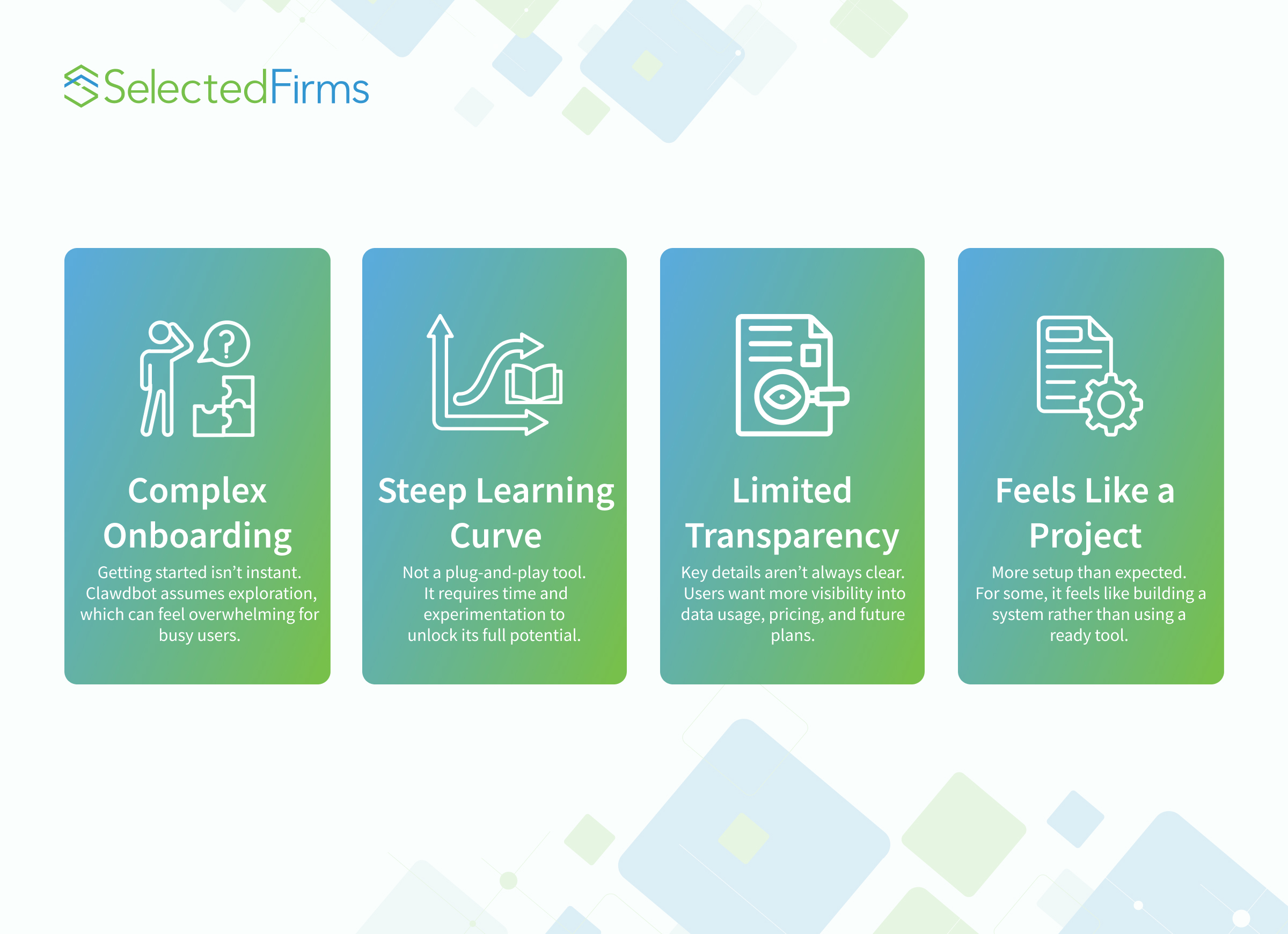
Clawdbot assumes curiosity.
It rewards exploration.
But for busy managers, the setup can feel heavy.
There’s power under the hood.
But it’s not obvious at first glance.
2. Learning Curve Is Steep
This is not plug-and-play software.
If you don’t enjoy tinkering,
Clawdbot may feel more like a project than a product.
3. Transparency Gaps
Some users want clearer answers on:
- Data handling
- Long-term pricing
- Roadmap stability
In early-stage AI tools, that uncertainty matters.
Who Clawdbot Is Actually For
Let’s be honest.
Clawdbot is not for everyone.
Ideal Users
Clawdbot shines if you are:
- A builder
- A technical founder
- An automation enthusiast
- Someone who enjoys shaping systems
If you like control, you’ll feel at home.
Not Ideal For
You may struggle if you are:
- A time-strapped manager
- A non-technical operator
- Looking for instant ROI
- Expecting zero setup
This is where alternatives come into play.
Why People Are Actively Searching for Clawdbot Alternatives
The spike in interest around alternatives is not anti-Clawdbot.
It’s practical.
People want:
- Faster onboarding
- Clearer UX
- Predictable pricing
- Enterprise readiness
In short, less experimentation and more execution.
What Makes a Strong Clawdbot Alternative?
Before listing tools, let’s define the criteria.
A strong alternative should offer:
- Clear value in under 10 minutes
- Minimal configuration
- Reliable automation
- Human-readable workflows
Personality is a bonus.
Outcomes are mandatory.
The Best Clawdbot Alternatives in 2026
-
Cursor
Cursor is an AI-first code editor built on VS Code. It helps you write, edit, and refactor across multiple files at once. The AI understands your project context and speeds up workflows without leaving your editor.
Best for:
Developers who want AI inside their editor
Pricing:
~$20/month+
-
GitHub Copilot
GitHub Copilot suggests code as you type and helps with debugging and documentation. It works smoothly inside popular editors. Strong GitHub integration makes it reliable for teams already using GitHub workflows daily.
Best for:
Teams using GitHub and standard IDEs
Pricing:
Free tier + $10–$39/month
-
Cline
Cline is an open-source AI coding agent for VS Code. It can create files, run commands, and even browse the web. You stay in control while the agent handles repetitive or complex development tasks efficiently.
Best for:
Developers who prefer open-source tools
Pricing:
Free (pay for API usage)
-
Aider
Aider is a Git-focused AI coding assistant that works directly in your terminal. It edits code, commits changes, and writes clear commit messages automatically. Great for keeping your workflow organized while still moving fast.
Best for:
Developers who rely heavily on Git
Pricing:
Free (API-based costs)
-
Gemini CLI
Gemini CLI is a lightweight command-line coding assistant from Google. It handles code generation, fixes, and simple automation tasks. It’s fast, easy to try, and offers a generous free usage tier for developers.
Best for:
Developers who want a free CLI tool
Pricing:
Free tier + usage-based
-
Windsurf
Windsurf is an AI-powered development environment designed for structured workflows. It guides you through multi-step coding tasks instead of just suggesting code. This makes it helpful for planning, building, and refining features end to end.
Best for:
Teams that want guided AI workflows
Pricing:
Paid plans (varies)
-
Augment Code
Augment Code is built for large teams working on complex codebases. It understands deep project context across multiple repositories. It also focuses on security, compliance, and scalability, making it suitable for enterprise development environments.
Best for:
Enterprise teams with large systems
Pricing:
Free tier + custom enterprise pricing
What the Clawdbot Trend Really Tells Us About AI in 2026
This trend is bigger than one tool.
It shows where AI assistants are heading.
1. Personality Is No Longer Optional
People want AI that feels human.
Neutral bots feel outdated.
2. Distribution Beats Features
Clawdbot didn’t win on specs.
It won on shareability.
3. Builders and Managers Want Different Things
Builders want flexibility.
Managers want outcomes.
The next generation of tools must serve both.
Is Clawdbot Worth Using Right Now?

Yes — if you know why you’re using it.
Clawdbot is exciting.
Innovative.
Different.
But it’s not the default answer for every team.
For many professionals, the smarter move is to compare before committing.
Final Thoughts: Hype Is Temporary, Fit Is Everything
Clawdbot earned its spotlight.
The Moltbot rebrand worked.
But viral does not always mean viable.
The best AI assistant is not the one trending today.
It’s the one that still works six months from now.
Know your workflow.
Know your tolerance for complexity.
Choose accordingly.
And if Clawdbot isn’t the right fit?
You have options.


Head Of Digital Marketing
Recent Blogs


Elia Martell
5 Virtual Recruiting Support Operations for Tech and Healthcare Teams
-

09 Oct 2026
-

8 Min
-

477

Jane Hart
Why LinkedIn Campaign Optimization Requires More Than CPC and CTR
-
09 Oct 2026
-
8 Min
-
155

Jane Hart
How to Vet an Offshore SEO Partner: A Due-Diligence Checklist for Agencies and Brands
-
08 Oct 2026
-
8 Min
-
263

Jane Hart
Benchmarking GPU Providers: A Practical Guide to Comparing Cloud Compute Options
-
07 Oct 2026
-
6 Min
-
173
