Table of Contents
Two GPU cloud providers can charge the same hourly rate and still give you very different results. Learn how to test speed, network, reliability, and total cost so you choose the right provider before you commit.
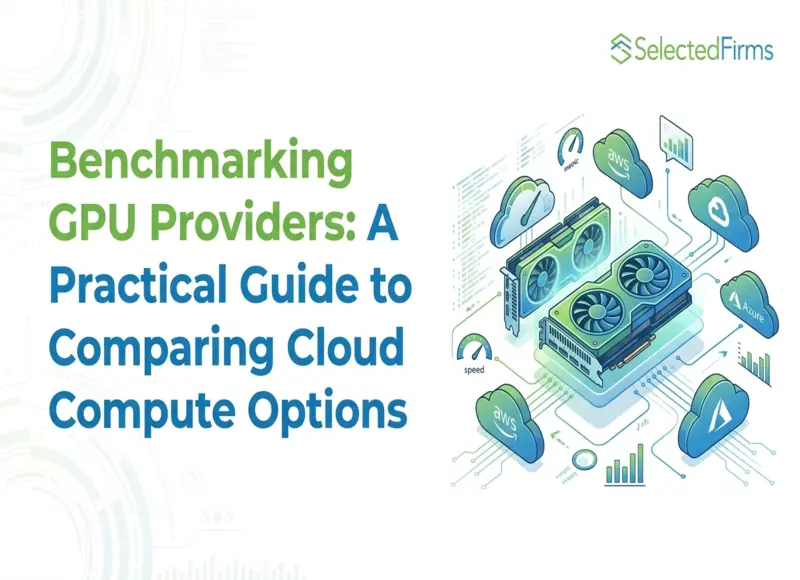
Picking a GPU cloud provider feels like a technical call. It's a money call too. The provider you choose changes what you spend, when you ship, and how many hours your developers lose to infrastructure problems.
There are a lot of options. Big cloud platforms sell GPUs. So do smaller companies that focus only on GPUs. Prices, hardware, and uptime promises are different for each one.
Choosing the wrong provider hurts. You could burn thousands of dollars on cloud bills. Or a long job could stall right when you need the results. Either way, your product schedule slips and revenue takes a hit.
Most teams compare providers by price per GPU-hour. It's quick and easy. But it doesn't tell you much. Two providers can charge the same rate and still give you very different speed, network quality, and stability.
This guide shows your development and business teams how to compare providers step by step. You'll see what to test, what mistakes to skip, and how to make a decision you can defend.
Why Price-per-GPU-Hour Misleads Your Budget
The hourly rate is the first number everyone sees. So it gets too much weight. Here's what it leaves out:
- Effective utilization: A provider that costs a bit more can still be cheaper. If it's more reliable and starts up faster, you pay for less idle time.
- Data transfer and storage fees: Moving data out, storing it, and using the network all cost extra. Data-heavy workloads feel this the most.
- Provisioning speed: Waiting for GPUs to become available costs you time. The provider may not bill for it. Your team still loses days.
- Support responsiveness: Imagine a GPU fails during a three-day job. If support takes hours to fix it, that gets expensive fast.
Look at all four before you decide. One number on a pricing page can't show you the real cost. That cost shows up later, in your roadmap and your invoice.
Key Dimensions to Benchmark Before You Commit
Five things are worth checking when you compare GPU cloud providers for your software and business needs.
Take an NVIDIA B300 GPU Rental option as an example. Don't stop at the price. Run your own workload on it and see what happens. Real speed and availability often matter more than the listed rate.
Raw and Sustained Performance
Spec sheets show the best case. Your workload rarely hits it. Test with the same code, data size, and software setup you'll use in production.
Track throughput, latency, and how long a job takes to finish. Then tie each number to a business result, like cost per job or time to release.
Network Architecture
When a job runs across many machines, the network decides how well it scales. That covers the links between GPUs inside one machine and the connections between machines.
A weak network can cancel out a cheap GPU price. You add more GPUs and get very little extra speed.
Ask about NVLink inside a machine and a fast fabric like InfiniBand between machines. If your team hasn't built clusters like this before, get help from cloud consulting companies that have.
Availability and Reservation Flexibility
Some providers let you grab GPUs whenever you want. Others make you wait or sign a long reservation that doesn't match your project dates.
If your demand spikes now and then, flexible scaling can beat a small speed advantage. Pick a reservation plan that fits your release schedule.
Reliability and Uptime History
Hardware fails once you run enough of it. Outages happen too. What matters is how fast the provider deals with them. Check their uptime record, how often things break, and how long fixes take.
This tells you more than any sales page. Ask what happens to a long job when one machine fails. Also check that your pipeline can restart from a saved checkpoint.
Transparency of Billing
Some bills are hard to predict. Charges for idle GPUs, data movement, and minimum commitments often hide in the fine print. Surprises in the middle of a project are painful.
Get the full fee list before you build on the platform. Then estimate your monthly bill using it.
Common Mistakes That Inflate Cloud Compute Costs
Teams make the same errors again and again when they pick a provider:
- Testing the wrong workloads: Synthetic tests don't match your real data sizes, batch sizes, or usage patterns.
- Skipping the contract terms: Minimum spend, cancellation rules, and auto-renewals can lock you into costs you didn't plan for.
- Going with a big name: A famous brand doesn't mean it performs best for your workload.
- Never checking again: Prices and hardware change often. What worked a year ago may not work now.
Treat this as a regular review. Don't decide once at the start and forget about it.
A Repeatable Process to Benchmark GPU Providers
A quick, informal comparison won't give you reliable results. Use these six steps instead:
|
Step |
Action |
What It Tells You |
|
1 |
Set up test workloads that match production |
Whether the results reflect real use |
|
2 |
Run the same workloads on every provider |
Performance and cost you can compare fairly |
|
3 |
Track total cost, including storage and network |
What each provider really costs |
|
4 |
Test provisioning and scaling at normal and peak load |
How capacity holds up when demand jumps |
|
5 |
Open a real support ticket during the trial |
How support actually responds |
|
6 |
Write down your results in one shared place |
A baseline you can check again later |
This takes more work than reading a price list. But it saves you from bigger mistakes once your workload is live.
If your team is short on time, software development companies with DevOps experience can run the tests for you.
Conclusion
The price on the page is only part of the story. Performance, network, flexibility, and billing all decide what your workloads cost and how well they run.
Teams that test properly make better choices. They find infrastructure that fits their workload. And when hardware or business needs change, they can switch with confidence.
FAQs
Run the same real-world workloads on each provider. Then compare speed, total cost, and how well support responds.
No. It ignores idle time, data fees, wait times, and reliability. Total cost of ownership gives you a clearer picture.
Big jobs run across many GPUs that need to talk to each other fast. A slow network means extra GPUs add very little speed.
Check for data transfer fees, storage charges, idle-time billing, and minimum commitments. Ask for the full fee list and estimate your monthly bill.


Head Of Digital Marketing
Recent Blogs

Jane Hart
How Smartphone Accessory Brands Combine Product Design and eCommerce Innovation
-

05 Nov 2026
-

8 Min
-

38
Jane Hart
7 Costly Mistakes to Avoid When Outsourcing IoT Hardware Development
-
29 Oct 2026
-
6 Min
-
186

Elia Martell
E-commerce Email Templates: What Your Shopify Store Needs
-
30 Oct 2026
-
6 Min
-
106