


How Upgrading PC Supports AI-Powered Tools and Smart Technology Use
-
Last Updated:

30 Jan 2026
-
Read Time:

6 Min Read
-
Written By:
 Isha Choksi
-
1772
Table of Contents
As AI-powered software and smart technologies become more demanding, older PCs struggle to keep up. This article explains how strategic PC upgrades enhance performance, stability, and long-term usability for AI and IoT applications.
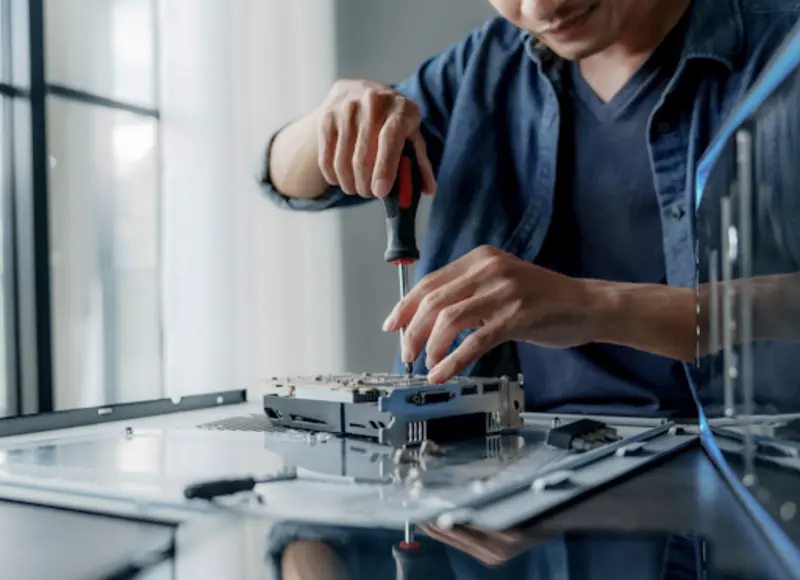
Artificial intelligence and innovative technologies are no longer limited to large enterprises or research labs. AI-powered tools are now embedded in everyday software used by consumers and small businesses, from productivity applications and cybersecurity platforms to accounting systems and customer support automation. As these tools become more capable, they also become more demanding, placing higher expectations on personal computer performance, reliability, and compatibility.
Modern users discover these limitations when AI-powered tools lag, freeze, or fail to integrate with smart devices. In these situations, understanding the role of hardware and the value of guidance from a computer repair shop for PC upgrades can help users make informed decisions about improving system performance without unnecessary replacements. The discussion around upgrades is increasingly about adaptability, long-term usability, and technical readiness for AI and Internet of Things environments.
The Growing Demands of AI-Powered Tools on Personal Computers
Comprising continuous data processing, predictive algorithms, and real-time decision-making, AI-supported components are undisputed winners. Traditionally, these components merely carry out various tasks in the background, analyse large datasets and adapt their behaviour according to user activities.
Key system components affected by AI workloads are:
- Central processing units that must handle parallel tasks efficiently
- Memory resources required to keep AI models responsive
- Storage systems that support fast data access and model loading
- Graphics processing capabilities used for visualization and acceleration
Many personal computers purchased several years ago were not designed with these requirements in mind. As a result, users may experience reduced productivity, increased system instability, or limited access to newer AI features.
Processor and Multithreading Requirements
Multithreading is commonly used by AI-powered tools to speed up the learning process, an operation that is very slow when even few cores, or not very robust cores, or even slow architecture are added to the setup, especially while running multiple applications.
Common processor-related challenges to look out for:
- Slower response times during AI-assisted tasks
- Overheating due to sustained workloads
- Incompatibility with newer instruction sets required by modern software
Upgrading to a new processor or platform can greatly improve the speed of data-based large-scale tasks and data analysis.
Memory and Storage Bottlenecks
AI applications are memory-intensive. Insufficient RAM forces systems to rely on storage as virtual memory, resulting in reduced performance and increased drive wear.
Typical symptoms of memory and storage constraints include:
- Frequent system slowdowns when multitasking
- Long loading times for AI-powered tools
- Increased risk of data corruption during heavy workloads
Upgrading to a new processor or platform can greatly improve the speed of data-based large-scale tasks and data analysis.
IoT Compatibility and Smart Technology Integration

The dependable computer platform required to support robust computing for IoT tasks should be one that can connect with numerous other devices at the same time. Internet-of-things applications continuously run and collect data from sensors, cameras and connected equipment.
For consumers and small businesses, this might comprise:
- Smart security systems and access controls
- Environmental monitoring devices
- Inventory tracking and automation tools
Personal computers act as hubs for managing these systems, making hardware stability and compatibility essential.
Connectivity and Interface Requirements
IoT environments demand state-of-the-art connectivity standards to operate in a truly effective manner. Older PCs might lack this kind of support, however, and cope with limitations in terms of bandwidth capacity.
The following are vital considerations:
- Support for updated USB and wireless standards
- Network interface performance and stability
- Compatibility with device management software
Upgrading specific components or adding expansion capabilities allows systems to interact reliably with smart devices without constant troubleshooting.
Graphics and Edge Processing Needs
Other cutting-edge technologies make use of edge processing to trim latency and upkeep privacy. Edge processing in this sense benefits from more sophisticated graphics and processing hardware.
Here are the key benefits of graphics-capable upgrades:
- Faster image and video analysis for smart cameras
- Reduced reliance on cloud processing
- Improved responsiveness in real-time monitoring systems
These improvements help users maintain control over their data while achieving better performance.
Performance Limitations in Older or Underpowered Systems
As software evolves, older systems face increasing challenges. AI-powered tools and IoT platforms are frequently updated, leaving outdated hardware behind.
Common limitations are:
- Inability to install or run newer software versions
- Increased vulnerability to security threats
- Higher energy consumption for lower performance output
According to recent industry data, about one-quarter of business PCs in current corporate fleets were deployed before January 2020, meaning many devices are now older than four years and may struggle to support modern software and AI-driven applications.
These limitations do not always require a complete system replacement. Strategic upgrades continually address the most critical bottlenecks.
How Targeted PC Upgrades Improve System Performance
A PC upgrade approach focuses on improving specific components rather than replacing the entire device. This method aligns with both cost efficiency and sustainability goals.
Performance improvements commonly achieved through upgrades have:
- Faster application startup and processing
- Improved multitasking and workflow efficiency
- Greater compatibility with AI-powered tools
A knowledgeable computer repair service can help identify which upgrades provide the most value based on actual usage patterns.
Stability and Reliability Gains
System instability often increases as hardware ages and struggles to meet software demands. Upgrading key components reduces crash rates and improves consistency.
Stability benefits are as follows:
- Fewer system freezes during AI-driven tasks
- Reduced error rates in automated processes
- More predictable performance under load
These factors are especially important for small businesses that depend on uninterrupted operations.
Long-Term Usability and Security
Modern operating systems and security platforms increasingly rely on hardware-level features. Older systems may not support these protections.
Hardware upgrades can enable:
- Advanced encryption and secure boot features
- Better compatibility with AI-based security monitoring
- Continued access to software updates
This improves long-term usability and reduces the risk of data breaches or compliance issues.
Productivity Benefits for Consumers and Small Businesses

Reliable performance directly impacts productivity. AI-powered tools are designed to save time, but only when supported by capable hardware.
Productivity improvements from upgrades include:
- Faster completion of routine tasks through automation
- Smoother collaboration using AI-assisted communication tools
- Reduced downtime caused by system issues
With respect to small enterprises, however, these gains underpin more efficacious business outcomes and enhance customer satisfaction, without the need to expand the workforce.
The Role of Computer Repair Professionals
Non-technical users face difficulties when they try to determine which upgrades carry the highest importance. The computer repair shop serves an essential function by demonstrating how hardware selections support AI and IoT applications.
This guidance typically covers:
- Evaluating current system limitations
- Explaining compatibility requirements for AI-powered tools
- Planning upgrades that balance cost and performance
Rather than facilitating unnecessary services, this approach emphasizes technical understanding and informed decision-making.
Preparing Personal Computers for an AI-Driven Future
AI-enabled technologies and advanced systems are continually reshaping how people use personal computers in their homes and workplaces. The efficiency of software systems depends on hardware components, which include performance capabilities, stability features, and system compatibility with different software applications. The implementation of targeted upgrades to processors and memory components, software storage solutions, and connectivity systems enables modern systems to handle current requirements while extending their operational life.
The users who experience these updates can discover better support options through computer repair shops, which assist with their PC upgrade needs. The method enables organizations to assess their system performance by discovering their current readiness status.

Head of SEO Operations
Recent Blogs


Elia Martell
5 Virtual Recruiting Support Operations for Tech and Healthcare Teams
-
09 Oct 2026
-
8 Min
-

462


Jane Hart
Why LinkedIn Campaign Optimization Requires More Than CPC and CTR
-
09 Oct 2026
-
8 Min
-
150

Jane Hart
How to Vet an Offshore SEO Partner: A Due-Diligence Checklist for Agencies and Brands
-
08 Oct 2026
-
8 Min
-
249

Jane Hart
Benchmarking GPU Providers: A Practical Guide to Comparing Cloud Compute Options
-
07 Oct 2026
-
6 Min
-
171
