


Table of Contents
Deciding to switch from a default theme for your Shopify store ? First understand what a custom build should involve, how pricing works, and which questions help you choose the right build partner.
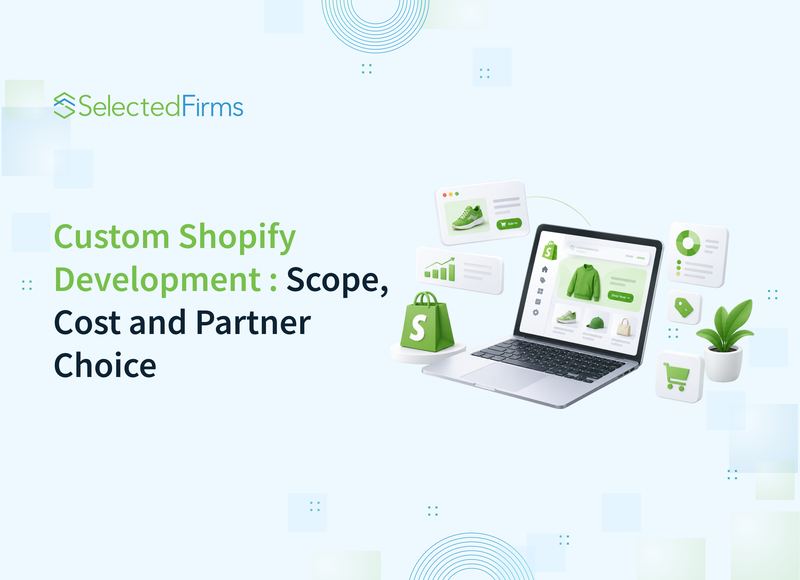
You pick a theme and a handful of apps to launch your Shopify store. This setup handles your first year of traffic and a simple catalog well.
Then new markets, complex product logic, and higher conversion targets eventually push it to its practical limit. You decide to develop a custom Shopify store. Custom Shopify development means building a store’s theme, data structure, and integrations around its own requirements instead of stacking apps on a stock theme.
But before anyone writes any code, decide what your custom build should include and how to scope it. This article helps you decide whether you need a custom build, what it should include, and how to choose the right partner.
Signs Your Shopify Theme Has Hit its Limit
Third-party apps are slowing your frontend. Every app you install injects its own JavaScript and CSS across your pages. Before long, page weight spikes, Core Web Vitals drop, and mobile users bounce before the hero image even renders.
Product variants require fragile workarounds. Once you introduce custom material selectors, dynamic size charts, or region-specific bundles, native option limits hit a wall. This requires another app or custom scripts that end up breaking cart logic.
Suppose your store serves several markets. Language switchers, price display, and localized checkout steps get added one at a time, and international buyers see inconsistent prices or checkout steps that fail.
Catalog filtering hits a dead end. When buyers need faceted search based on custom product attributes, standard theme collections fall short. You are forced into clunky meta field workarounds or expensive search apps that add even more script latency.
Stretching rigid theme sections to match custom brand layouts usually means piling on CSS overrides. Every time the theme developer pushes a core update, something on your layout shifts or breaks.
External data is not synchronizing cleanly. Native CSV imports and basic connectors stop working once you need real-time inventory, complex order routing, or rich product specs pulled directly from an ERP or PIM.
What a Custom Build Includes
When deciding on Sopify developers for custom store development services these six components that must be covered.
|
Component |
What it does |
Why it matters |
|
Custom theme or Liquid sections |
A theme written for your store, or custom sections and templates on a solid base theme. Every change is versioned and reviewed before it reaches the live store. |
Layout changes do not depend on CSS overrides. |
|
Metafields and Metaobjects |
Extend your data model beyond standard product and collection fields. |
Size guides, care instructions, and market-specific messaging become structured content that editors manage in the admin. |
|
Custom apps and app extensions |
Handle logic that public apps cover poorly, and load only what your store needs. |
The logic stays under the store’s control. |
|
Integrations |
Connect your Shopify to the ERP, email platform, and analytics through documented APIs, with error handling and logging. |
A failed sync is visible the same day. |
|
Testing |
Checkout is tested in every market and currency; the store runs on real phones, and page speed is compared with the old version. |
Untested checkout paths can cost orders. |
|
Code ownership |
The code lives in a Git repository you control. |
Any developer can pick up the work later. |
What A Custom Build Costs
Shopify store development cost sits within these ranges for four main reasons:
- Original design takes more time than adapting an existing theme.
- Each integration needs mapping, authentication, error handling, and testing.
- Every additional market adds translation, currency logic, tax rules, and its own checkout settings.
- Developers clean, map, and validate data migration from another platform or from spreadsheets before launch.
|
Scope |
Typical range |
|
Standard store on an existing theme with moderate customization |
$4,000 to 8,000 |
|
Custom theme or heavy section development |
$8,000 to 12,000 |
|
Shopify Plus with advanced features and multiple markets |
from $12,000 |
Every estimate your development partner provides should start with a review of your current store. Check that they list each feature by page type and estimate hours for design, Liquid development, app or integration work, and QA as separate lines.
A store that needs a new product page with a size selector, storefronts for three markets, and an ERP connection gets three separate line items. You should be able to see what each piece costs and phase or drop any of them before you sign the contract.
Development is one part of your total budget. The Shopify plan, paid apps, and any ongoing support hours are separate monthly costs; see if your partner lists them next to the build estimate.
How to Choose the Right Development Partner
Many teams first try to hire a Shopify developer on freelance platforms. That works well for small theme fixes. A build that touches checkout, several markets, and integrations needs design, development, and QA in one team, with one person accountable for the timeline.
Ask for cases with numbers after launch. Changes in conversion or average order value tell you more about a partner's work than homepage screenshots.
Read reviews on independent platforms such as SelectedFirms, where clients describe the project in their own words. Look for reviews that mention deadlines and how the team handled changes mid-project.
Ask who runs the project day-to-day. A dedicated project manager and tech lead keep communication in one place.
Confirm who owns the code and where it lives after the project ends. The repository should belong to the merchant, with no license fees attached.
Hourly, fixed-price, and milestone models carry different risks, and a line-by-line breakdown prevents surprises later. Choose the model that fits your requirements.
When you compare options, talk to a custom Shopify development partner who can explain the technical approach and commercial terms in one conversation.
Agree on what happens after launch. Write down support hours, response times, and the process for small changes before signing.
Conclusion
A custom build is a good option when your store’s growth is held back by its theme and app stack. Before you request proposals, list your current apps, active markets, integrations, and the features your theme cannot handle. This gives any partner you reach out to what they need to produce a line-by-line estimate.
FAQs
The final price depends on design work, integrations, the number of markets, and data migration. A standard store with moderate customization typically costs $4,000 to $8,000. A custom theme or section system typically costs $8,000 to $12,000, and Shopify Plus projects with several markets start at $12,000.
Most custom builds take 6 to 10 weeks when requirements are stable, and content is ready at kickoff. Star Pro Combat, with a custom design and three regional markets, launched in 10 weeks.
Yes, if changes live in custom sections, metafields, and a properly structured theme. Direct edits to core theme files and heavy CSS overrides are what break during updates. Logic that would otherwise require theme hacks always goes into a custom app.
Yes. The merchant owns the code, and it lives in a Git repository the store controls. That leaves the owner free to switch developers for future work.


Head Of Digital Marketing
Recent Blogs


Isha Choksi
How Much Does a Search Marketing Agency Really Cost in 2026?
-

19 Nov 2026
-

6 Min
-

15
Jane Hart
Network Segmentation: Architecture, Implementation and Ransomware Containment Guide
-
19 Nov 2026
-
7 Min
-
13
Jane Hart
Hosting EU Client Workloads: What Digital Agencies Should Check First
-
16 Nov 2026
-
6 Min
-
70

Jane Hart
How Smartphone Accessory Brands Combine Product Design and eCommerce Innovation
-
05 Nov 2026
-
8 Min
-
240
