


Streamlining Workforce Management for Better Efficiency
-
Last Updated:

02 Feb 2026
-
Read Time:

7 Min Read
-
Written By:
 Isha Choksi
-
1396
Table of Contents
A clear, no-friction approach to workforce management that reduces missed handoffs, improves visibility, and helps teams handle onboarding, daily requests, and offboarding without adding heavy process or unnecessary tools.
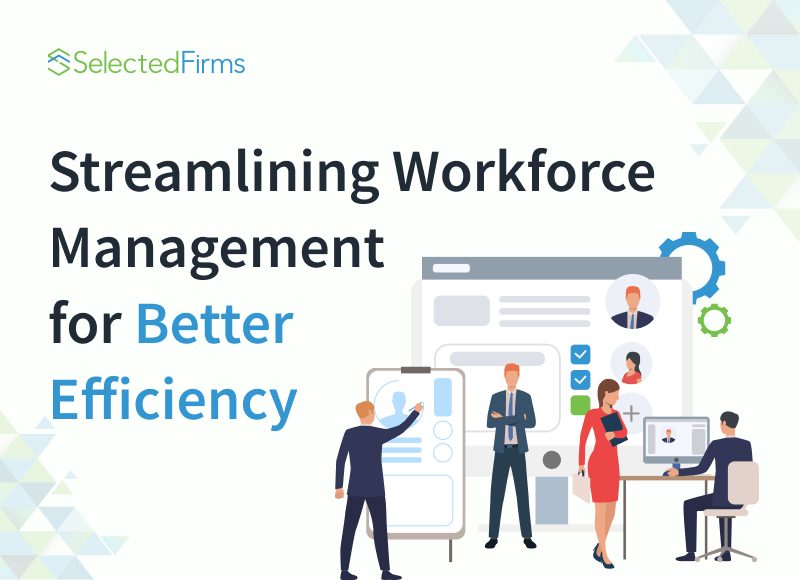
Every company runs on time. Time gets lost in small people tasks that repeat all week. The start date has moved because someone missed an email. A new hire waits for access. A manager forwards the same policy link again. None of this looks big on its own. It adds up fast across a team.
Some companies keep order with shared files and good habits. Others need a central system to keep steps visible and owned. The adoption of HR software with onboarding and offboarding can help when the team wants fewer missed handoffs and fewer “who owns this” moments. The goal is not to add process for its own sake. The goal is to remove avoidable delays so managers can spend more time on the work and the people.
This article focuses on a simple approach to onboarding, day-to-day support, and offboarding. It aims to keep the work clear without making it heavy.
Where Manual Processes Create Day-to-Day Friction
Email and spreadsheets can work for a small team that talks often. They break down when the team grows, hires pick up, or remote work becomes normal. The first issue is ownership. A task sits in a thread, and no one knows who should act. The second issue is visibility. A manager cannot see what is done without asking three people.
You also get quite a few errors. A spreadsheet has two versions. Someone edits the wrong one. A start checklist lives in a document that only one person updates. A time off request gets approved in chat and never reaches payroll. These are not dramatic failures. They still cost time, and they can create real risk.
If you want one test, look at the last hire. Ask how many steps depend on one person remembering to do something. If the answer is “many,” your process relies on memory, not a system.
Onboarding That Feels Calm on Day One
A new hire forms an opinion in the first week. They notice whether the basics work. They also notice whether people know what is happening.
A smooth start usually comes from a small set of decisions made before day one. You need a clear owner for setup tasks. You need a single place to start the info. You need the accounts and tools ready. You need a short plan for the first day, so the person does not sit and wait.
It helps to picture a normal first morning. The new hire logs in. They open an email. They join the chat tool. They find the team calendar. They see where tasks live. If any one of those fails, the day turns into support tickets and apologies. You can avoid most of that with a short checklist that assigns owners. Keep it tight. Focus on access, equipment, and the first week of work.
A manager also sets the tone. A short welcome, a clear goal for the first month, and a named person to ask for help goes a long way. People do not need a long speech. They need clarity and a point of contact.
Day-to-Day Support Without Extra Noise
After onboarding, the daily friction tends to come from repeat questions and unclear paths. Where do people request time off? Where do they find the policy on sick leave? Who approves access to a client folder? What happens when someone changes roles?
You can reduce this without turning everything into a formal process. Keep policies in one place and keep them short. Use one consistent path for requests, so people do not guess. Make the approval owner clear. If a manager needs to act, the manager should get a prompt and a due date. If HR needs to act, HR should see the same task in their queue.
This also helps managers. A manager should not spend a morning hunting for the latest form or chasing signatures. When routine steps run in the background, managers can spend time on priorities, coaching, and decisions.
Feedback That Matches Real Work
Feedback often fails because it becomes rare and formal. A lighter habit tends to work better. A short check-in can cover three points: what is moving, what is stuck, and what support is needed. That gives the manager a view of the work. It gives the employee a clear place to raise issues.
The best feedback also stays specific. It ties to a task, a project, or a decision. It does not live in vague labels. If a manager wants to improve quality, they can point to a real example and explain what they want next time. That is useful. People can act on it.
Tools can help track goals and action items, but the habit matters more than the screen. A simple record of what you agreed to last week can prevent drift.
Offboarding That Protects Work and Reduces Risk
Exits can create the biggest gaps because teams often treat them as a last-minute task. Offboarding needs the same calm planning as onboarding.
You want to protect access, and you want to protect continuity. That means you need a timeline, a handover plan, and clear owners for key steps. You also need a consistent rule for account removal. If access stays open after the last day, you create exposure. Even when a person leaves on good terms, open access is still a problem.
Knowledge transfer needs to stay practical. Ask for a short handover note per active project. Keep it simple. What is the goal, what is the current status, what comes next, where are the files, who are the key contacts? Add risks and open questions. This saves the next owner from guessing.
Device return is part of the same story. A laptop with client files should not sit at home for weeks. Set a clear return plan and confirm it early.
Data and Access Basics That Make a Difference
Employee data includes personal details and work records. Many regions regulate how you store it and who can access it. A central system helps because it can restrict access by role and log changes.
You do not need a complex program to make progress. Start with basic controls. Limit access to people who need it. Store employee files in one controlled place. Avoid sending sensitive documents through email when a secure system is available. Remove access on the final day and record what changed.
These habits reduce risk and also reduce confusion. When someone asks, “Who has access to this?” you can answer without a scavenger hunt.
Remote Work Raises the Cost of Missed Steps
Remote teams feel process gaps more. In an office, someone can walk over and fix a missing login. Remote work turns that missing login into a half-day delay.
Shipping and setup need clear ownership. A device should arrive before day one. Accounts should work on day one. The team should name a support contact for the first week, so the new hire does not wait in silence.
Documentation also matters more. A short guide that covers tools, norms, and common questions saves time across the team. Keep it searchable. Update it when something changes. Do not let it become a long manual that nobody reads.
Making Change Easier for the Team
People resist new systems for simple reasons. They fear extra steps. They fear monitoring. They fear feeling lost.
A calm rollout helps. Explain what will change and why. Tie it to problems the team already feels, like missing access, repeated follow-ups, or unclear ownership. Provide short guides. Create one place to ask questions. Identify a few early adopters who can help peers.
Keep the goal clear. You want fewer missed steps, fewer follow-ups, and clearer ownership. When people feel that improvement, adoption follows.
What This Looks Like When It Works
When workforce management is running well, it feels quiet. New hires start with access in place and a clear plan for the first week. Managers spend less time chasing forms and more time setting priorities. Employees know where to find policies, how to request time off, and who approves what. Small questions do not turn into long message threads.
Offboarding also becomes less stressful. Projects move to new owners with short-handover notes that cover the basics. Accounts close on time, and devices return through a clear process. The team does not scramble to recover files or rebuild context after someone leaves.
The nice part is that none of this needs a lot of hardware. It needs a few clear rules, ownership, and a single spot for the team to see what has to be done. Fix the steps that go wrong the most commonly first. The process becomes a support layer over time, not a burden.
One more thing you do helps maintain it that way. Check your process on a regular basis and make improvements when a tool changes or a gap appears. A quick review can stop you from slowly going back to email threads and personal reminders.

Head of SEO Operations
Recent Blogs


Elia Martell
5 Virtual Recruiting Support Operations for Tech and Healthcare Teams
-
09 Oct 2026
-
8 Min
-

462


Jane Hart
Why LinkedIn Campaign Optimization Requires More Than CPC and CTR
-
09 Oct 2026
-
8 Min
-
149

Jane Hart
How to Vet an Offshore SEO Partner: A Due-Diligence Checklist for Agencies and Brands
-
08 Oct 2026
-
8 Min
-
249

Jane Hart
Benchmarking GPU Providers: A Practical Guide to Comparing Cloud Compute Options
-
07 Oct 2026
-
6 Min
-
171
