Table of Contents
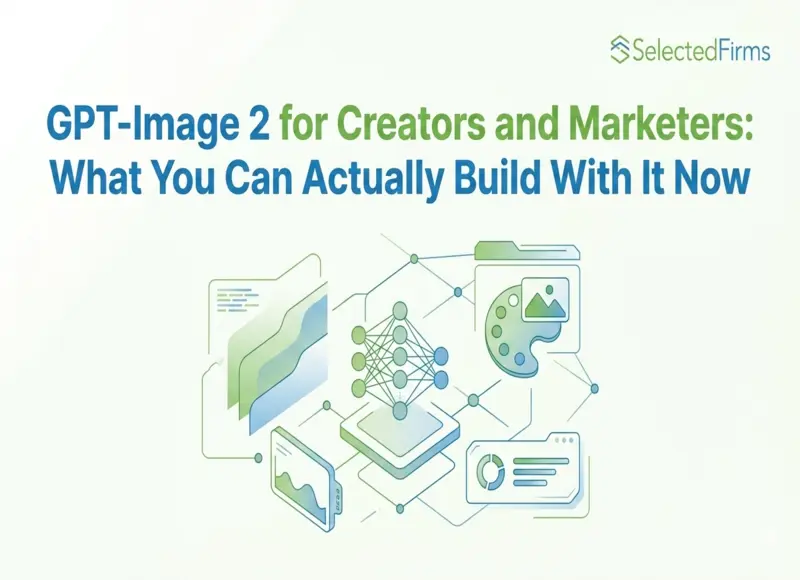
GPT-Image 2 introduces reasoning-driven image generation with high text accuracy and multilingual support. This guide explores practical use cases for creators and marketers, including ad design, product visuals, UI prototyping, and content creation.
?
Key Takeaways
- GPT-Image 2 launched April 21, 2026 — the first AI image model with built-in reasoning before generation
- ~99% text accuracy in 48+ languages makes it the first reliable tool for multilingual creative production
- Generates up to 8 coherent images from one prompt; supports 4K native output
- Replaces DALL-E 2 and DALL-E 3, which retire May 12, 2026
- Practical use cases span product photography, ad creative, UI mockups, social content, and brand campaigns
- The global AI image generation market is projected to grow at 20%+ CAGR through 2033 — and tools like this are why
The Prompt You'd Have Given Up On Last Year
Picture this: you need a marketing banner — white background, product photo centered, brand headline in Japanese, secondary copy in Arabic, price callout in English, and a clean gradient overlay. On any previous AI image model, that prompt is a disaster waiting to happen. You'd get one or two elements right, text would be garbled in at least one language, and you'd spend an hour trying to fix it in Photoshop.
On GPT-Image 2? Describe it once. It works.
That's not a hypothetical. That's what the model's ~99% text accuracy across 48+ languages actually means in practice. And it's the kind of capability shift that doesn't just improve a workflow — it opens up use cases that weren't viable before.
OpenAI's ChatGPT Images 2.0, powered by gpt-image-2, launched on April 21, 2026. The reception was immediate. No hype cycle, no keynote — just a model that posted a 1,512 score on the Image Arena leaderboard, the largest lead ever recorded on that benchmark. Creators, marketers, and developers have been stress-testing it since.
Here's what you can actually build with it.
Understanding the Two Modes Before You Start
GPT-Image 2 operates in two distinct modes, and knowing which one you're working with changes your expectations:
Instant Mode is available to all ChatGPT users, including free tier. Fast, reliable, great for standard creative tasks — social posts, product visuals, quick concept exploration. This is the mode most users will encounter by default.
Thinking Mode is where the model earns its ranking. It researches before generating, searches the web for real-time reference, self-reviews its output, and generates up to 8 coherent images from a single prompt. It requires a Plus, Pro, Business, or Enterprise subscription. If you're building production workflows, this is what you need to be on.
The gap between the two modes is real. For casual use, Instant Mode is capable. For anything commercial — campaigns, product photography, multilingual assets — Thinking Mode is the version worth paying for.
Use Case #1: E-Commerce and Product Photography
Traditional product photography is expensive, slow, and inflexible. A single studio day for a mid-sized product catalog can run $3,000–$15,000, with reshoots for seasonal variations or regional market adaptation adding up fast.
GPT-Image 2 changes the math.
What's now possible:
- Turn a single hero product shot into a full catalog of lifestyle images across different settings, seasons, and demographics
- Generate transparent-background cutouts ready for storefront use
- Produce regional market variants — same product, culturally adapted background and copy — without a reshooting
- Create A/B test variants with different color schemes, copy treatments, and compositional approaches in one session
The model's multi-reference input capability means you can feed it your actual product photo, brand color palette, and a reference lifestyle scene — and it synthesizes all three into a coherent output. Character consistency and material accuracy hold across iterations, so a product's surface texture, reflectivity, and branding details stay sharp across multiple generated variants.
For DTC brands and e-commerce teams managing high-SKU catalogs, this isn't incremental efficiency. It's a restructuring of what a one-person creative team can output.
Use Case #2: Ad Creative and Marketing Assets
The old problem: Creating ad variants for multi-channel campaigns required either a full design team or a lot of compromise. You'd have your hero creative and then progressively worse adaptations for secondary placements.
The new reality: Generate 50 ad variants — each optimized for a different format, audience segment, or channel — with consistent brand identity across all of them. GPT-Image 2's batch generation (up to 10 per API request, 8 coherent images in one Thinking Mode prompt) makes this practical at scale.
Formats the model handles well:
- Social media cards (1:1, 4:5, 9:16 for Reels/TikTok)
- Email headers and banner ads (16:9, 21:9 ultrawide)
- Event posters and OOH mock-ups
- Product launch announcements with embedded headline copy
- Seasonal campaign adaptations (same creative framework, different visual theme)
The text rendering capability is the real unlock for advertising. Ad creatives live or die on headline clarity. A model with ~99% text accuracy means the copy in your generated creative is actually usable — not something you have to fix or overlay manually.
For multilingual campaigns across APAC, MENA, or European markets, GPT-Image 2's 48+ language support means creative localization can happen inside the image generation pipeline, not in a separate post-production step.
Use Case #3: Content Creation and Social Media
The creator economy is moving fast, and the production demands keep going up. YouTube thumbnails need to be high-contrast and text-legible at 120px. TikTok content cycles demand new creative every 48–72 hours. Newsletter headers need to feel editorial, not stock-photo generic.
GPT-Image 2 addresses all of these without requiring a designer on call.
What content creators are using it for:
- YouTube thumbnails with correctly rendered title text and expressive subject imagery
- Blog hero images with embedded headline copy that's actually sharp
- Social media templates with brand-consistent styling across posts
- Unique visual assets that don't look like recycled stock photography
- Book covers and digital product mockups
- Infographics with legible data labels — a use case that previously required dedicated design tools
The key for creators is the style consistency. GPT-Image 2 maintains aesthetic coherence across generated variants without requiring style presets or LoRA fine-tuning. If you establish a visual language for your brand in a prompt, the model holds it across a full batch of outputs.
Use Case #4: UI/UX Design and Prototyping
This use case is less obvious but increasingly valuable for product teams.
GPT-Image 2 can generate production-quality UI mockups, app screens, icon sets, wireframes, and design system components in a single generation pass. The model handles glassmorphism, neumorphism, flat design, and material design with consistent styling across a full component set.
The Codex integration adds a layer most competing tools don't have: image generation in the same workspace as code development. A designer or developer can prototype a visual direction, compare options, and push the strongest result to a live product without switching environments.
Practical applications for product teams:
- Generating icon sets with consistent style for an entire app
- Mocking up app screens for stakeholder reviews before any development work
- Producing illustration assets with transparent backgrounds for direct Figma import
- Rapid visual exploration of UI directions without committing design hours
The limitation worth knowing: precise pixel-level element positioning still produces variable results. If you need exact spatial control — specific element placement to the pixel — manual refinement is still part of the workflow. For exploratory design work and client presentations, it's more than sufficient.
Use Case #5: Editorial, Publishing, and Education
This is where the reasoning layer earns its value most clearly.
Explainer graphics, educational diagrams, historical reconstructions, infographics with geographic data — these all require the model to understand the content it's visualizing, not just render a prompt literally. Previous models failed on these tasks with frustrating consistency.
VentureBeat testing showed GPT-Image 2 accurately reproducing a map of the Aztec, Maya, and Inca empires at their respective heights — with a fully legible legend. That's a task that requires spatial accuracy, historical knowledge, text rendering, and compositional coherence simultaneously. It worked on the first attempt.
For publishers, educators, and journalists producing visual explainers, this is a practical capability, not a demo. The model's December 2025 knowledge cutoff means it has current context for most modern reference material, and Thinking Mode's web search supplements gaps in real time.
GPT-Image 2 vs. The Alternatives: A Practical Comparison
|
Tool |
Best For |
Text Accuracy |
Reasoning |
Multilingual |
Cost |
|---|---|---|---|---|---|
|
GPT-Image 2 |
Production layouts, multilingual ads, UI |
~99% |
(Thinking Mode) |
48+ languages |
$8–30/M tokens |
|
Midjourney V7 |
Artistic/aesthetic creative direction |
Poor |
? |
? Limited |
Subscription-based |
|
Ideogram 3 |
Stylized text, graphic design |
Good |
|
Limited |
Freemium |
|
FLUX 1.1 Pro |
Fast, high-quality image generation |
Moderate |
|
Limited |
API-based |
|
Nano Banana 2 |
Real-time geographic/news visual reference |
Good |
Partial |
Strong |
API-based |
|
DALL-E 3 |
(Retiring May 12, 2026) |
Poor |
|
|
Deprecated |
The honest read: GPT-Image 2 isn't the tool for everyone in every context. Pure aesthetic creative work still leans toward Midjourney. Speed-first pipelines might prefer FLUX. But for production-grade commercial content with reliable text, multilingual support, and reasoning-backed generation — it's the strongest option currently available.
Practical Prompting: What Actually Works
The model responds well to specificity. Vague prompts return capable but generic results. Structured prompts return production-ready outputs.
Five things to specify in every commercial prompt:
- The scene and environment — exact setting, lighting conditions, time of day, atmosphere
- Text to be rendered — write it out explicitly, include language if non-English
- Visual style — name it precisely (e.g., "clean flat design with blue accent, sans-serif typography" not just "modern")
- Target format — aspect ratio, intended platform, compositional priority (e.g., "space for text overlay at the bottom third")
- Constraint on what not to change — if editing, specify what to preserve ("maintain the subject's face and clothing exactly; only change the background")
The model's instruction-following accuracy in Thinking Mode is rated at approximately 98% for multi-constraint prompts. That accuracy is contingent on the prompt being clear about what those constraints actually are.
Where to Access GPT-Image 2
The model is available in several places depending on your workflow:
- ChatGPT (all tiers for Instant Mode; Plus/Pro/Business for Thinking Mode)
- OpenAI API — model ID gpt-image-2 (developer access opening early May 2026)
- Codex — available since the April 16 "Codex for almost everything" update
- Third-party platforms — fal.ai, Artlist, and others have integrated the model
For marketing-focused creators and business teams who want GPT-Image 2 alongside ad video generation, UGC tools, and campaign production in a single workspace, Topview.ai has integrated the model — useful for teams that prefer a consolidated creative platform over managing multiple API keys and tool subscriptions.
The Limitations That Actually Affect Workflows
Thinking Mode is a paid feature. The most impactful capabilities — multi-image coherence, web-search-grounded generation, reasoning before rendering — require a Plus or higher subscription. Free users have a capable tool; production teams need the paid tier.
Logo accuracy isn't bulletproof. Specific brand logos can still misrender, occasionally surfacing outdated versions. For brand-critical output, spot-checking is still part of the workflow.
Post-December 2025 knowledge gaps. The model may generate plausible-but-wrong visuals for anything that emerged after December 2025. Web search in Thinking Mode helps, but isn't a complete fix.
2K API cap is a ceiling for some use cases. Native 4K is available in ChatGPT, but API access above 2K is still in beta. For print-ready production at 4K via API, you'll need to combine with a post-processing upscaler.
The Commercial Reality
The numbers behind AI image adoption in 2026 tell a clear story. The global AI video and image generation markets are growing at 20%+ CAGR. The AI in creator economy market is projected to reach $12.85 billion by 2029. 78% of marketing teams now use AI-generated visuals in at least one campaign per quarter. The production cost reductions from AI tools — across image and video — are making traditional production economics increasingly difficult to justify for anything outside flagship work.
GPT-Image 2 is the model that cements AI image generation as a production-grade workflow, not just a creative experiment. The text is reliable. The reasoning is real. The multi-language support is functional. And the Arena score is the largest lead any model has held on that benchmark.
For creators and marketers, the question isn't whether to build GPT-Image 2 into your workflow. It's what to build first.

Head Of Digital Marketing at SelectedFirms
Recent Blogs
Trends
Isha Choksi
How to Avoid Technical Bottlenecks in AI Development Projects
-

29 Apr 2026
-

2 Min
-

15
Trends

Elia Martell
Maximizing Operational Efficiency: The Correlation Between Bandwidth and Business Growth
-
28 Apr 2026
-
5 Min
-
28

Trends
Isha Choksi
Scaling a Mid-Market Manufacturing Business With the Right ERP System
-
28 Apr 2026
-
6 Min
-
31

Trends
Jane Hart
The Executive Guide to The Best Payroll Services when Hiring Global Teams (Without Entity Overhead)
-
28 Apr 2026
-
9 Min
-
45