


Table of Contents
This guide is for founders, startups, marketers, product leaders, and businesses exploring web design or web development services. Whether building, redesigning, launching ecommerce, or comparing agencies, it explains roles, costs, workflows, and how to c
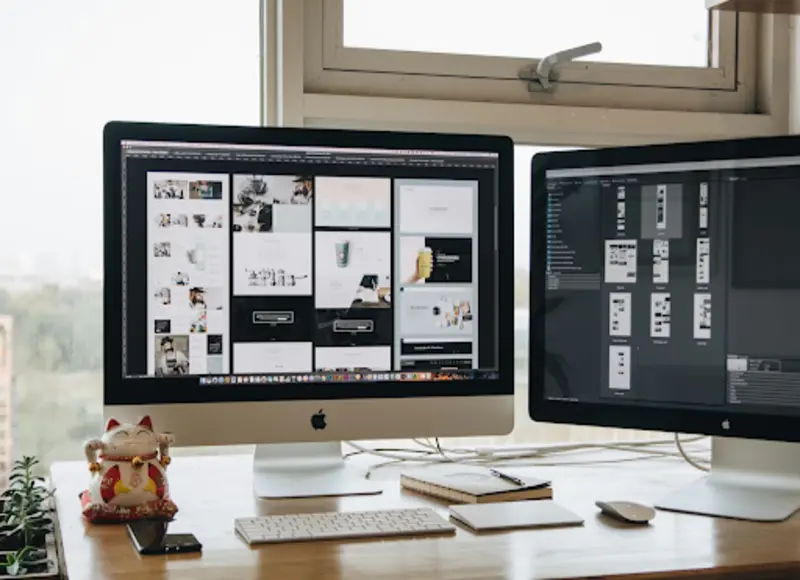
A lot of people say “build a website” and mean everything at once: layout, colors, buttons, code, speed, and the mysterious moment when it finally goes live. In reality, web design and web development are two different jobs with two different brain modes. Both can overlap, but the core responsibilities stay distinct.
In a real project, that split shows up fast. A design team might discuss user flow, spacing, and accessibility, while a tech team worries about performance, security, and deployment. Even the support tools differ: some teams use services like Floppydata premium proxy provider for stable testing environments when location, uptime, or platform access affects what gets built and how it gets checked.
What Web Design Actually Covers
Web design is about the experience and the visual logic of a site. It focuses on what a visitor sees and feels, and how easily a visitor can move from point A to point B without getting annoyed. Design decisions shape trust: a site can look expensive or cheap before a single word gets read.
Typical design tasks include:
- Layout grids
- Typography
- Color systems
- Button states
- Icons
- Page hierarchy
User experience work is often included too, such as:
- Mapping user journeys
- Planning navigation
- Ensuring mobile usability
Good design also respects constraints, because the prettiest concept is useless if it cannot be built or maintained.
What Web Development Actually Covers
Web development is about making the site work. The team executes the plan to create a product that delivers interactive, fast, and dependable performance. The development team uses its decisions to determine how fast a website will load, how well it will manage incoming traffic, how secure its data will remain, and how it will function across different web browsers.
Development can include:
- Front-end work (HTML, CSS, JavaScript, frameworks)
- Back-end work (servers, databases, APIs, authentication)
- Code structure and architecture
- Testing and monitoring
- Updates and maintenance
When something breaks at 2 a.m., design is usually not the fix — development is.
Where the Two Roles Overlap
The overlap happens in the middle layer: components and behavior. A designer might specify how a menu opens, how an error message looks, or how a checkout should feel. A developer builds those interactions and may adjust details when reality hits. That is why strong collaboration beats perfect handoffs.
A useful rule shows up here:
- Design defines intent
- Development defines execution
If a site feels smooth, both sides likely did the job well. If a site feels confusing or fragile, the gap between intent and execution usually grows too wide.
Why the Difference Matters in Real Life
Confusing design with development creates messy expectations. A small business might hire a “designer” and expect a full working store, or hire a “developer” and expect brand-level visuals. The result is predictable: delays, budget stress, and the classic argument about what was included.
Clear roles also protect quality:
- When design is rushed → the site looks inconsistent and hard to use
- When development is rushed → the site becomes slow, buggy, or insecure
A clean separation helps prioritize correctly, even on a small team.
The difference matters even more during testing. Some projects need location-based checks, region-specific content previews, or ad and analytics verification across markets. In those cases, teams sometimes run controlled tests to get an Indian IP address and confirm how pages, payment options, or localized messages behave for that region.
Practical Differences Without the Buzzwords
When a quick comparison is needed, thinking in deliverables helps more than job titles. Design usually outputs systems and screens. Development usually outputs working features and infrastructure. Both can use the same tools sometimes, but the intent stays different.
Role Snapshot: What Each Side Typically Produces
Web design:
- Wireframes
- UI mockups
- Design systems
- Interactive prototypes
- Accessibility notes
Web development:
- Responsive layouts in code
- Interactive components
- Integrations
- Databases
- Deployment pipelines
Shared space:
- Component libraries
- Usability improvements
- Performance-friendly layouts
- Bug fixes tied to UX
The project rhythm of a clean project treats all outputs as relay events instead of competitive races. The handoff process becomes more efficient when teams record their decisions and express their assumptions verbally.
Common Misunderstandings That Waste Time
Bad expectations do not come from lack of talent — they come from fuzzy language. “Make it modern” can mean a visual refresh to design and a framework migration to development. Those are not the same task, budget, or timeline.
Myths That Keep Showing Up in Projects
- “A designer can just code it quickly if needed.”
- “A developer can just make it look nicer during implementation.”
- “A template removes the need for design thinking.”
- “Responsive means the same layout everywhere.”
- “Launching is the finish line, not the start of maintenance.”
Clearing these myths early prevents the awkward moment when a project looks done on a mockup but fails in production.
How to Decide What You Actually Need (Web Design vs Web Development)
If you are unsure whether to hire a web design agency, a web development company, or both, consider your primary goal:
- Launching a new brand or marketing website → prioritize web design services first, then development.
- Building a SaaS product or web application → prioritize web development services with strong UX support.
- Improving conversions or user experience → start with UX/UI design audit.
- Fixing performance or scalability issues → focus on development optimization.
- Launching an ecommerce website → require both design and development from the start.
For businesses comparing providers, consider browsing curated lists of top web design companies or top web development firms to evaluate portfolios and expertise.
Typical Website Project Workflow
Understanding the workflow helps set expectations and timelines:
- Discovery and requirements gathering
- User research and UX planning
- Wireframes and UI design
- Design approval and design system creation
- Frontend and backend development
- Integrations and API setup
- Quality assurance and testing
- Performance optimization and security checks
- Launch and deployment
- Ongoing maintenance and updates
This lifecycle shows why collaboration between designers and developers is critical throughout the project.
Cost Drivers: What Influences Website Design and Development Pricing
Website costs vary widely depending on complexity. Key factors include:
- Custom UI vs template-based design
- Number of pages or features
- Ecommerce functionality
- Third-party integrations
- Performance requirements
- Accessibility compliance
- Content creation needs
- Ongoing maintenance plans
Typical ranges (rough estimates):
- Small business website: low to moderate investment
- Custom business platform: moderate to high investment
- Enterprise web application: high investment
A clear scope definition reduces surprises later.
Real-World Examples
Startup MVP: Designers work on creating user-friendly designs, which they combine with clear visual elements, while developers establish fundamental system capabilities to test product performance.
Ecommerce Store: Designers create better product pages and checkout systems, while developers work on payment processing systems, inventory management systems, and performance optimization.
Corporate Website Redesign: Designers develop new visual designs that include updated navigation systems, while developers work on content transfer and system development projects.
Risks of Skipping Either Role
Skipping design can lead to:
- Poor user experience
- Low conversion rates
- Confusing navigation
- Weak brand perception
Skipping development rigor can lead to:
- Security vulnerabilities
- Slow load times
- Technical debt
- Frequent bugs
Balanced investment prevents long-term issues.
How Designers and Developers Collaborate
Successful teams reduce friction through:
- Shared design systems and component libraries
- Clear documentation and acceptance criteria
- Regular reviews and feedback loops
- Early technical feasibility checks
- Continuous testing
Collaboration ensures the final product matches both vision and technical standards.
Questions to Ask Before Hiring a Web Design or Development Agency
- What is your process from discovery to launch?
- How do you handle revisions and scope changes?
- Who owns UX decisions?
- How is performance testing handled?
- What happens after launch?
- Can you share relevant case studies?
- How do you ensure accessibility and security?
These questions help evaluate whether a partner fits your project needs.
Accessibility and Compliance Considerations
Websites need to implement accessibility best practices, which include WCAG guidelines, to achieve inclusive design. The accessible design solution enables all users to navigate the system better while it decreases legal risks and enhancing search engine optimization results.
Tools Commonly Used in Web Design and Development
Design tools often include:
- Figma
- Sketch
- Adobe XD
- Prototyping platforms
Development tools often include:
- Version control systems
- CI/CD pipelines
- Testing frameworks
- Performance monitoring tools
Understanding tools helps stakeholders communicate more effectively with teams.
Future Trends in Web Design and Web Development
- AI-assisted design workflows
- Component-driven development
- Design tokens and systemization
- Headless CMS architectures
- Performance-first development
- Personalization and experimentation
Staying aware of trends helps businesses build future-ready digital experiences.
Next Steps: Turning Insight Into Action
If you are planning a website project, consider the following steps:
- Define your business goals and success metrics.
- Decide whether you need design, development, or both.
- Review portfolios and compare agencies.
- Document requirements clearly.
- Plan for post-launch maintenance and growth.
Exploring trusted directories of vetted web design agencies and web development companies can simplify the selection process and reduce risk.
Final Thoughts
Understanding the difference between web design and web development helps set realistic expectations, improves collaboration, and leads to better project outcomes. When businesses align the right expertise with clear goals, websites not only launch successfully but continue to perform, evolve, and deliver value over time.


Head Of Digital Marketing
Recent Blogs


Elia Martell
5 Virtual Recruiting Support Operations for Tech and Healthcare Teams
-

09 Oct 2026
-

8 Min
-

477

Jane Hart
Why LinkedIn Campaign Optimization Requires More Than CPC and CTR
-
09 Oct 2026
-
8 Min
-
155

Jane Hart
How to Vet an Offshore SEO Partner: A Due-Diligence Checklist for Agencies and Brands
-
08 Oct 2026
-
8 Min
-
263

Jane Hart
Benchmarking GPU Providers: A Practical Guide to Comparing Cloud Compute Options
-
07 Oct 2026
-
6 Min
-
173
